Neck Pain From Sitting: What Your Chair Setup Is Missing
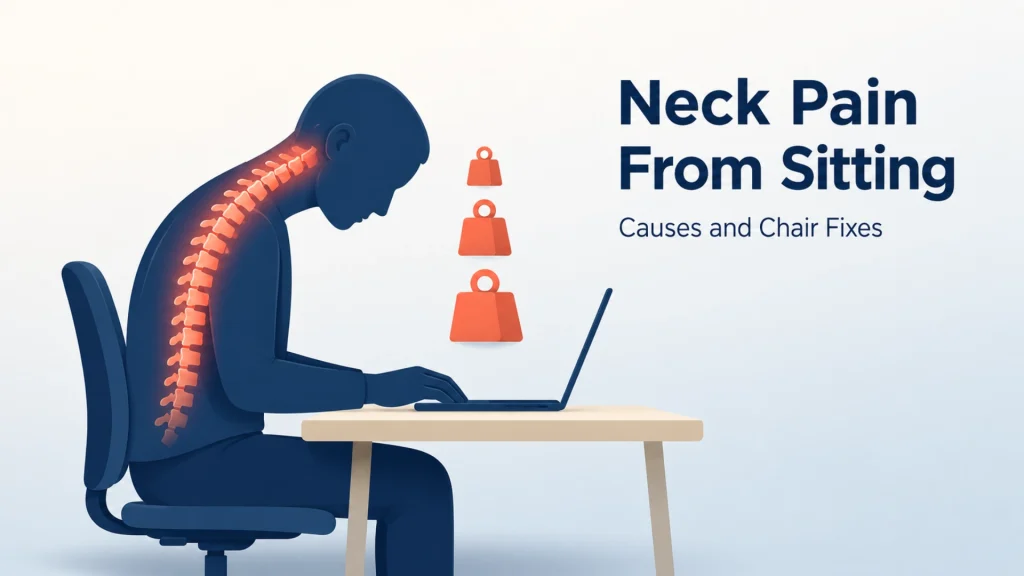
A 10-pound head over your shoulders feels weightless. Tilt it 60 degrees toward a screen, and your cervical spine loads up like it’s carrying 60 pounds. That’s the math behind neck pain from sitting. Most posture advice quietly ignores it.
Neck pain from sitting isn’t caused by sitting itself. It’s caused by sustained cervical load. Four setup mistakes drive that load. Forward head posture. Low chair height. Missing or misaligned headrests. Armrests set too high. The fix is a setup audit, not more stretching.
This guide covers the load mechanism, the four chair-related culprits, and the 3-step audit. It ends with a morning routine for necks that already ache.
Key Takeaways
- Forward head posture multiplies cervical spine load. Tilt your head 15 degrees and your neck carries 27 pounds. At 60 degrees, it carries 60 pounds, per research by Dr. Kenneth Hansraj.
- Four chair-related causes drive most neck pain from sitting: monitor too low, missing or wrong headrest, chair-too-low syndrome, and armrests set too high.
- The 3-step setup audit checks monitor height, headrest position, and armrest height. It takes under 5 minutes.
- Cheap headrests often push the head forward. A good headrest cradles the back of the skull without forcing flexion.
- A short morning stretch sequence (chin tuck, scapular squeeze, doorway pec stretch) reduces stiffness within 2 weeks of daily practice.
Why Sitting Loads Your Neck More Than You Think
Your neck isn’t aching because you sat too long. It’s aching because of how your head was loaded during those hours.
The human head weighs about 10 to 12 pounds. When it sits balanced directly over your shoulders, the muscles and discs of your cervical spine barely have to work. Tilt it forward over a laptop, and physics changes everything.
What does forward head posture do to your cervical spine?
Forward head posture is the position where your ears sit in front of your shoulders instead of stacked above them. It’s the default shape of nearly every desk worker by 3 p.m.
A 2014 study by Dr. Kenneth Hansraj measured the force on the cervical spine at different head-tilt angles. The work appeared in Surgical Technology International. Its numbers are sharper than most people expect.
| Head tilt angle | Effective load on cervical spine |
|---|---|
| 0° (neutral) | 10–12 pounds |
| 15° forward | 27 pounds |
| 30° forward | 40 pounds |
| 45° forward | 49 pounds |
| 60° forward | 60 pounds |
Source: Hansraj, K. (2014). Assessment of stresses in the cervical spine caused by posture and position of the head. Surgical Technology International, via PubMed
A 60-pound load on your cervical spine isn’t dramatic if it happens for 30 seconds. Hold it for two hours of a Zoom call. Your trapezius, levator scapulae, and suboccipital muscles enter constant contraction. That contraction is what you feel as stiffness at the base of your skull by mid-afternoon.
Why does sitting make my neck pain worse than standing?
Sitting changes your pelvis position. A backward-tilted pelvis flattens the lumbar curve. That flat curve pulls your thoracic spine into a forward slump. Your slumped thoracic spine then forces your head to jut forward, just to keep your eyes on the screen.
It’s a kinetic chain that ends at your neck. So your neck pays for what your hips started.
This is why fixing only your neck rarely works. The full chain matters. Posture starts at your feet and travels upward. Similar logic governs how lumbar support affects the curve of your whole spine, not just the lower back.
How is your neck connected to the rest of your sitting posture?
Your spine is a single linked structure. Lumbar position dictates thoracic position. Thoracic position dictates cervical position. Move one, and the other two follow.
That means a chair without lumbar support doesn’t just cause lower back pain. It causes neck pain too, by forcing your upper body to compensate for what the chair isn’t giving your hips. The same principle drives how your neck connects to the rest of your sitting posture from the feet upward.
The Four Chair and Setup Culprits Behind Neck Pain
Most articles on neck pain blame “bad posture” as if posture were a personal failing. Usually it isn’t. The real culprit is a furniture problem dressed up as a willpower problem.
Four specific setup mistakes cause the majority of office-related neck pain. Each has a different fix.
How does monitor height cause neck pain?
If the top third of your monitor sits below your eye line, your head will tilt forward to see it. Hours of that tilt are what generate the 27-to-60-pound loads above.
The CCOHS recommends that the top of your screen sit at or below eye level. Your natural gaze line should fall 15 to 30 degrees below horizontal. Most laptops, used without a stand, force your eyes 30 to 45 degrees down. That’s the danger zone.
The fix is mechanical, not behavioural. Raise the screen, or lower your gaze angle. Don’t try to remember to “sit up straight.”
Why an absent or mismatched headrest creates neck stiffness
A headrest isn’t a luxury. For anyone reclining during calls or reading, the headrest holds your skull’s weight. It gives your neck muscles a break.
The problem is that most office chairs come with one of three headrest types:
- No headrest at all: your neck muscles do all the work, all day
- A fixed headrest at the wrong height: it pushes against the base of your skull or sits above it
- A forward-angled headrest: it actively shoves your head into flexion (covered later)
If your chair has a headrest that you’ve consciously avoided using, that’s a diagnostic clue. The chair is telling you the headrest doesn’t fit your body.
Chair-too-low syndrome: the upstream cause most people miss
Here’s the one almost no posture guide covers. If your chair is too low for your desk, you’ll crane upward to reach the keyboard and the monitor. That craning is the start of forward head posture.
You’ll notice you keep leaning in toward the screen. Your shoulders start to rise. Then comes the temptation to blame the screen size and buy a bigger monitor. The neck pain will continue.
The fix isn’t a new monitor. Raise the chair until your elbows sit at desk height. Then add a footrest if your feet no longer touch the floor. The same upstream logic applies to the difference between a built-in lumbar pad and an add-on cushion. Your chair is the foundation. Everything else is compensation.
How armrest height drives upper trapezius pain
Your shoulders are heavy. They don’t feel heavy because your upper trapezius and levator scapulae hold them up all day. When they’re tired, you feel it as neck pain.
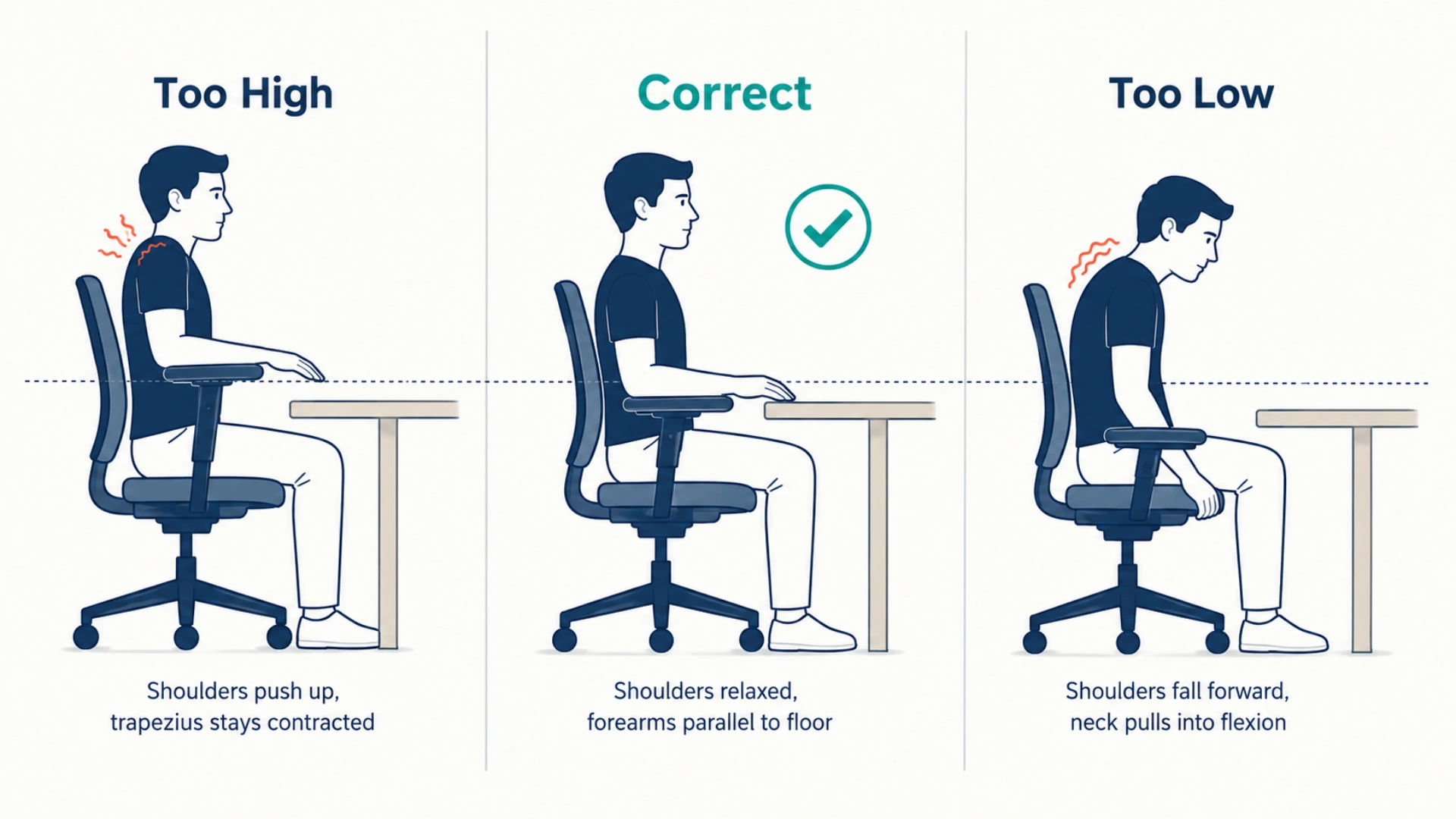
Armrests transfer some of that shoulder weight to the chair. But only if they’re set right. Set them too high and they push your shoulders toward your ears, doubling the load. Drop them too low and your shoulders fall forward, dragging the cervical spine into flexion.
Correct armrest height: forearms parallel to the floor, shoulders fully relaxed, elbows at roughly 90 degrees.
The 3-Step Setup Audit That Finds Your Real Culprit
You don’t need to guess which of the four causes is yours. Run this audit. It takes under 5 minutes.
Step 1: The monitor height check
Sit normally. Look straight ahead with your head level. Where does your gaze fall on your screen?
| Where your gaze naturally falls | Monitor position |
|---|---|
| Top third of the screen | Correctly placed |
| Centre or lower half | Too low |
| You have to tilt your chin up to see the top | Too high |
For laptops, the answer is almost always “too low.” A laptop stand or a stack of books raises it. Pair with an external keyboard so your wrists aren’t forced upward to match.
Step 2: The headrest position test
Sit fully back. Relax your head against the headrest. Then read the diagnosis below.
| Headrest contact pattern | Diagnosis |
|---|---|
| Skull contacts the occiput; chin stays level | Correct fit |
| Pressure on base of skull; chin tucks down | Too low |
| Head can’t reach without tipping back | Too high |
| Head only contacts when pushed forward | Angled wrong (see below) |
Step 3: The armrest height test
Sit with hands at your keyboard. Drop your shoulders. Where are your elbows?
| What you observe | Adjustment |
|---|---|
| Elbows rest naturally, shoulders relaxed, forearms parallel | Correct height |
| Shoulders rise to meet the armrests | Lower the armrests |
| Elbows dangle below the armrests | Raise the armrests |
What if all three pass and the pain still hurts?
Three possibilities remain if your audit clears all three checks and you’re still in pain. First, the chair’s lumbar support may be failing and creating the kinetic chain we covered earlier. Second, your daily movement may be too static. The best ergonomic setup fails if you don’t move every 30 minutes. Third, you may be dealing with an underlying issue that needs a clinician.
If weeks of auditing haven’t changed your pain, the chair itself may be the problem. Look for signs your current chair has reached the end of its useful life.
When a Headrest Helps and When It Makes Neck Pain Worse
Not all headrests reduce neck pain. Some make it worse. This is the chair-design nuance that almost no consumer guide covers.
What does a good headrest actually do?
A well-designed headrest meets the back of your skull when you’re sitting upright or slightly reclined. It supports the skull’s weight during recline, gives your neck muscles intermittent rest, and adjusts in both height and angle.
The headrest isn’t meant for hours of constant contact. It’s meant for the moments your neck needs a break: long calls, thinking time, reading.
Why some chair headrests push your head forward
Many budget chairs ship with headrests that are angled forward at a fixed 15 to 20 degrees. The designer’s logic: it’s “supportive” for an upright user.
The biomechanical reality: a forward-angled headrest pushes the back of your skull, which pushes your chin toward your chest. You’re now in forced flexion for as long as you sit back. That’s the opposite of what a headrest should do.
| Good headrest | Bad headrest |
|---|---|
| Adjustable height and angle | Fixed in one position |
| Contacts the occiput (back of skull) | Pushes against base of skull or upper neck |
| Allows neutral chin position | Forces chin down or up |
| Supports during recline | Active push during upright sitting |
Merryfair’s Wau and Zenit chairs use adjustable-angle headrests that cradle the occiput without forcing flexion. The headrest tilts to match your spine’s recline angle instead of fighting it.
How to tell if your headrest is part of the problem
Sit upright in your chair. Feel constant pressure at the back of your skull? Notice your chin wanting to drop? The headrest is angled wrong. Either adjust it (if possible) or remove it until you can replace the chair.
A headrest you can’t use is worse than no headrest. It’s structural pressure with no upside.
A Morning Routine for Necks That Already Ache
If you’re reading this with a sore neck right now, setup changes will take days to weeks to show. In the meantime, three stretches done daily will reduce the tightness.
A 5-minute stretch sequence for sore necks
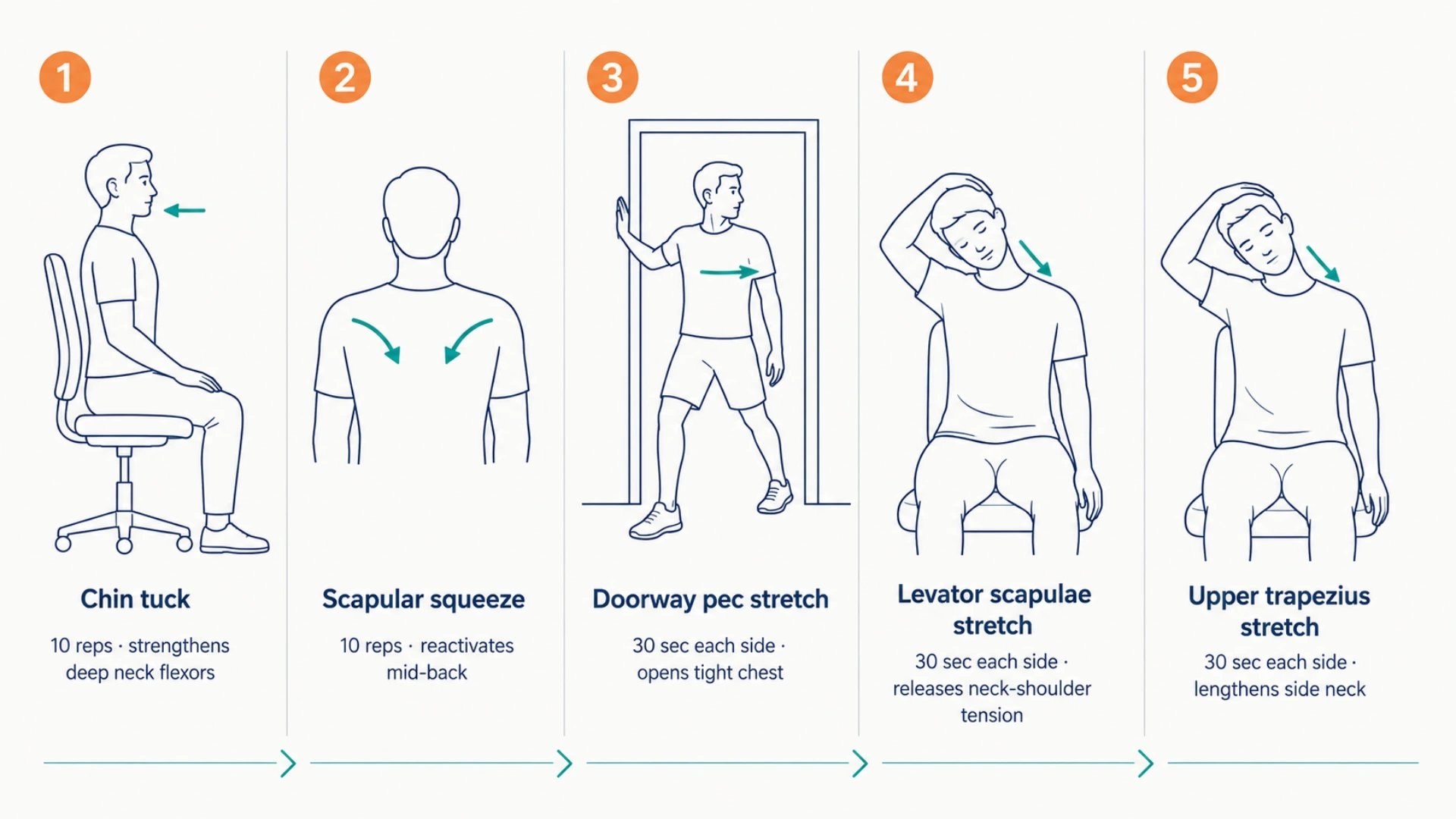
Do these in order, slowly, breathing through each:
- Chin tuck (10 reps). Sit tall. Gently pull your chin straight back, as if making a double chin. Hold 3 seconds. Release. This strengthens the deep neck flexors that forward head posture weakens.
- Scapular squeeze (10 reps). Pull your shoulder blades down and together, as if trying to put them in your back pockets. Hold 5 seconds. Release. This reactivates the mid-back muscles that compensate when your trapezius does too much work.
- Doorway pec stretch (30 seconds each side). Stand in a doorway. Place one forearm on the frame, elbow at shoulder height. Step the same-side foot forward until you feel a stretch across the chest. Switch sides. Tight pecs pull your shoulders forward, dragging your neck with them.
- Levator scapulae stretch (30 seconds each side). Sit upright. Turn your head 45 degrees to one side. Look down toward your armpit. Place the same-side hand gently on the back of your head and feel the stretch.
- Upper trapezius stretch (30 seconds each side). Sit upright. Tilt your right ear toward your right shoulder. Place your right hand on the left side of your head with gentle downward pressure. Feel the stretch along the left side of your neck. Switch sides.
How long until daily stretches actually help?
Most people feel reduced morning stiffness within 7 to 10 days of consistent practice. Lasting improvement in muscle balance takes 4 to 8 weeks. The timeline depends on how long the imbalance has been building.
Stretches don’t fix the setup. The setup audit does that job. Stretches address what years of bad setup left behind in your muscles.
When to skip stretches and see a professional
This content is for informational purposes only. Talk to a qualified healthcare professional before doing the stretches above if you have any of the following:
- Sharp shooting pain
- Pain that radiates down your arm
- Numbness or tingling in your hands
- Headaches that worsen with neck movement
- Pain that interrupts sleep
Stretches are for stiffness. Pain with neurological symptoms needs a clinician.
Long-Term Fixes That Stop Neck Pain From Coming Back
Stretches manage symptoms. The setup audit fixes most of the cause. Long-term prevention means picking a chair that supports your neck by design, not by accident.
Good ergonomics reduces the physical toll of sitting across every joint, not just the neck.
What to look for in a chair if neck pain is your main issue
If neck pain is your primary problem, four chair features matter more than the rest:
- Adjustable-angle headrest: height adjustment alone isn’t enough. Angle matters because skull shape varies
- Adjustable-height armrests: minimum height adjustment; ideally also depth and width
- Adjustable seat height: your elbows must reach desk height with shoulders relaxed
- Backrest recline with lock: 100 to 110 degrees reduces disc pressure compared to bolt-upright sitting
These four matter most. Other ergonomic chair features that protect your cervical spine extend further. Examples include synchro tilt, seat depth adjustment, and lumbar curve depth. All three feed back into the kinetic chain that determines neck position.
Why dynamic sitting matters more than perfect posture
The best posture is the one you just changed out of. Holding any single position, even a perfect one, fatigues the muscles holding it.
A 2024 study in MDPI’s Electronics journal looked at dynamic monitor setups. The height and tilt changed every 30 minutes. Researchers measured significantly less increase in neck pain over time compared to static positions.
Your chair’s tilt mechanism does the same thing for your spine. A synchro tilt lets the seat and backrest move together as you shift. Static “correct posture” is a myth. How a tilt mechanism keeps your spine moving while you work explains the engineering behind it.
The rule: move every 30 minutes. Stand, stretch, shift, or simply recline for 60 seconds. The neck doesn’t care if it’s perfect. It cares whether it’s moving.
Red-flag symptoms that mean your neck pain isn’t just from sitting
If your neck pain comes with any of these symptoms, the cause is likely beyond your chair setup:
- Pain radiating into one arm or hand
- Numbness, tingling, or weakness in the arms or hands
- Severe headaches not relieved by stretching or rest
- Loss of bladder or bowel control (rare but emergency)
- Fever with neck pain
- Recent head or neck trauma
- Pain that consistently wakes you from sleep
These can signal disc herniation, nerve compression, or similar conditions that require professional evaluation. Your chair may still be a contributing factor, but it’s not the primary cause.
Your Neck Pain Is a Setup Problem, Not a Discipline Problem
Most people blame themselves for neck pain. They tell themselves they slouch too much, don’t stretch enough, lack the discipline to sit straight. The math says otherwise.
A 60-pound load on your cervical spine isn’t a discipline problem. It’s a chair-and-setup problem your body is reporting honestly. The setup audit gives you three places to check. Most people find their culprit within five minutes.
The fix takes longer than the diagnosis. It demands new habits, new positions, and sometimes a new chair. But the cycle ends when the load comes down. And the load comes down when your chair stops fighting your spine.
Some chairs lack an adjustable headrest, height-adjustable armrests, or a proper recline range. Stretching won’t close that gap. Explore Merryfair’s ergonomic seating collection to find a chair that supports your neck by design, not by accident.
Frequently Asked Questions
Can a bad office chair really cause neck pain?
Yes. Office chairs that lack adjustable headrests, sit too low for your desk, or use poorly placed armrests force unhealthy postures. Your head ends up in forward flexion, or your shoulders rise toward your ears. The cervical spine loads up for hours. Often the chair is the root cause, not just a contributor.
Should my monitor be exactly at eye level?
Not exactly. The top of your monitor should sit at or slightly below your eye level. Your natural gaze should fall 15 to 30 degrees below horizontal. According to the CCOHS, a monitor placed too high creates more neck strain than one slightly too low. Aim for a slight downward gaze without chin-tilt or forward head movement.
Is a headrest good or bad for neck pain?
Well-designed headrests help. Poorly designed ones hurt. Good headrests adjust in height and angle. They contact the back of your skull (the occiput) without forcing your chin down. Fixed forward-angled headrests push your head into flexion. If your headrest creates pressure at the base of your skull, it’s working against you.
How long does it take to fix neck pain from sitting?
Setup changes show benefits within 1 to 2 weeks. Daily stretches reduce stiffness within 7 to 10 days. Full muscle rebalancing takes 4 to 8 weeks. If your pain has lasted years, expect the longer end. See a physiotherapist if pain persists past 8 weeks of consistent practice.
What are the red flags that mean I should see a doctor?
Consult a healthcare professional if your neck pain shows red-flag symptoms. Watch for arm numbness or tingling. Severe headaches that don’t respond to rest qualify. Add fever, recent neck trauma, or pain that wakes you from sleep. Pain radiating down one arm can signal nerve compression. Chair adjustment alone won’t solve these issues.
MORE BLOGS
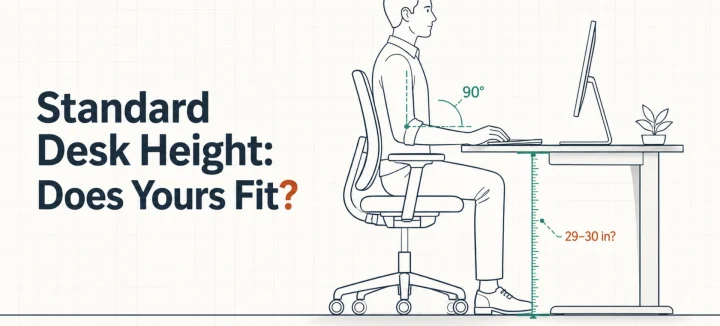
Standard Desk Height: Is 29 Inches Right for Your Body?
Standard desk height is 29 to 30 inches (73 to 76 cm). That number fits far fewer people than you’d think. A desktop that tall matches the seated elbow height of someone around 6’2″. The average American man stands 5’9″, and the average woman 5’3.5″. So this guide does two jobs. It shows you how […]
Read More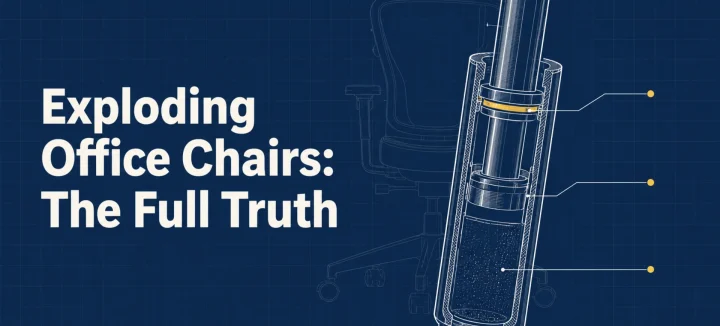
Exploding Office Chairs: The Full Truth From a Chair Maker
The exploding office chair story resurfaces every few years, same grainy photos attached. So can a chair really burst? A handful have, and every documented case involved an uncertified gas cylinder (the pressurized tube that raises and lowers your seat). Chairs built to recognized safety standards fail differently: seals leak, the seat sinks, nothing bursts. […]
Read More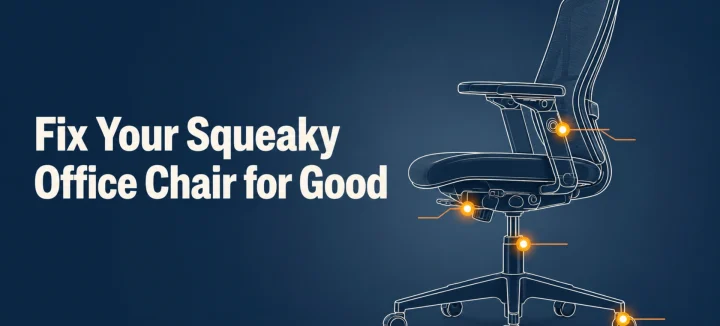
How to Fix a Squeaky Office Chair by Sound and Location
A squeaky office chair makes four different noises, and each one points to a different part. To silence it for good, find the source first: the tilt mechanism, gas cylinder, casters, or armrests. Then tighten what’s loose and lubricate with the right product for that joint. This guide matches each sound to its fix, and […]
Read More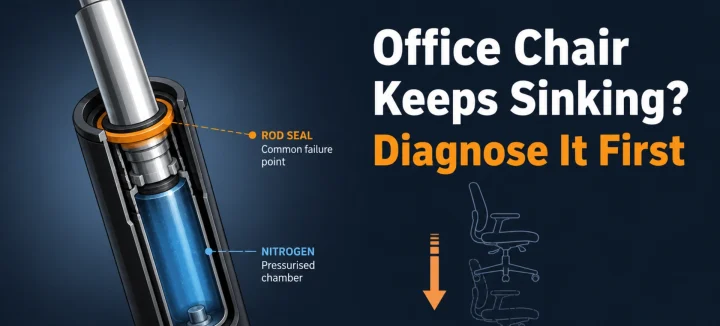
Office Chair Keeps Sinking? Diagnose and Fix It for Good
An office chair that keeps sinking or won’t stay up has one main cause: the gas cylinder under the seat is losing pressure. Worn seals let the nitrogen escape, so the piston stops holding your weight. A hose clamp or PVC pipe locks the height today; a new cylinder fixes it properly in 15 minutes. […]
Read More