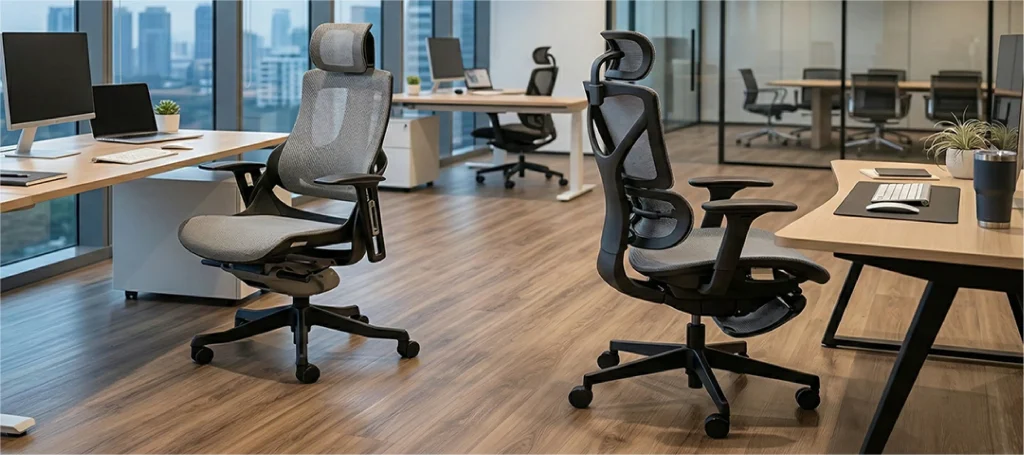
Best Ergonomic Chair for Back Pain by Pain Pattern (2026)
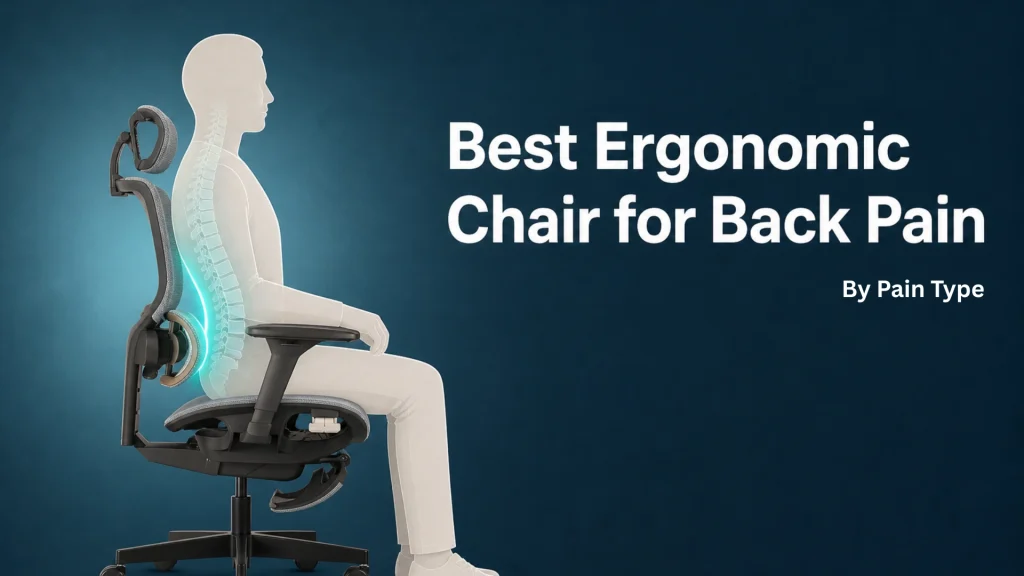
The best ergonomic chair for back pain matches your specific spine, not an average one. It offers depth-adjustable lumbar, a seat that fits your thighs, and a synchro-tilt mechanism that supports motion.
Fixed-curve chairs almost always fail people with chronic back pain.
Most “best chair” lists test for first-hour comfort. That isn’t the same problem as back-pain relief.
Back pain is the most visible symptom, but the right chair also affects circulation, breathing, and how clearly you think.
This guide gives you a manufacturer’s diagnostic method and the engineering rationale. Five chairs, matched to specific pain patterns rather than brand prestige.
Key Takeaways
- Match the chair to the pain pattern, not the brand name. Lower-back, disc-related, mid-back, and sacrum pain each call for different chair features.
- Adjustable lumbar isn’t enough. Depth-adjustable lumbar matters more than height-only adjustment because curve depth varies from −69° to −13.6° between people.
- A chair that scores well for “comfort” can still aggravate back pain. Comfort and pain relief test different things.
- Synchro-tilt with a 2:1 ratio outperforms simple recline for spine alignment during long sessions.
- The best ergonomic chair for back pain proves itself by hour five, not hour one. First-hour testing misleads.
Why “Best Chair” Lists Keep Failing People With Back Pain
Most round-up articles test chairs the way they test office desks. Sit for 30 minutes, note initial comfort, score it.
Back-pain sufferers don’t have that luxury. Their chair has to perform across an eight-hour day.
The spine shifts, muscles fatigue, the lumbar curve flattens under weight. That’s a different test, and it’s the one most reviews skip.
Most “best chair” lists test for comfort. Comfort and back-pain relief are not the same problem.
What does back pain in a chair actually mean?
Back pain in a seated context usually points to one of four mechanical failures. Each failure maps to a chair feature you can name.
Your lumbar curve isn’t being filled, so your spine flattens into a “C”. A wrong seat depth tilts your pelvis backward.
Your tilt mechanism may lock you static, so muscle fatigue compounds. The chair may force you out of your spine’s natural shape entirely.
Once you can name the failure, you can name the feature.
Why generic round-ups overlook lumbar variance
Most major round-up reviews point to “adjustable lumbar support” as the headline feature. They’re not wrong, just incomplete.
Your lumbar curve is a fingerprint. A 2015 PLOS One study measuring lordosis across 158 individuals reported curve angles ranging from −69° to −13.6°.
Norton et al. also found women’s lordosis averages roughly 13 degrees deeper than men’s. That’s a 55-degree spread of natural curvature.
One fixed lumbar bulge cannot serve that spread. Height-only adjustment can’t either.
The chair needs depth control, and most don’t have it.
A chair with adjustable lumbar isn’t enough. The depth has to match your specific lordosis, not the average one.
Seat height, depth, and lumbar interact, and getting one wrong limits what the others can do.
What manufacturers measure that reviewers don’t
| What reviewers test | What manufacturers test |
|---|---|
| First-hour comfort | Pressure mapping across an 8-hour session |
| Adjustability presence | Adjustability range and lock stability |
| Aesthetic appeal | BIFMA durability cycles (millions of pulls) |
| Material breathability | Foam compression set after 80,000+ cycles |
| Brand reputation | Greenguard chemical-emission testing |
Reviewers can only sit on a chair for so long. Manufacturers run the chair through ANSI/BIFMA mechanical fatigue tests for hundreds of hours before it ships.
Those tests are where back-pain reliability lives. The manufacturing story matters as much as the marketing one.
For broader context, see how ergonomic seating reduces the risk of chronic back pain.
The Pain-First Fit Method: a Four-Step Chair Diagnostic
The Pain-First Fit Method inverts the usual buying process. Instead of starting with chair features, you start with your pain pattern.
Four steps. Pinpoint, Pressure-Test, Pair, Prove.
It’s a mental model we developed at Merryfair after fifty years of fitting chairs to bodies, not bodies to chairs.
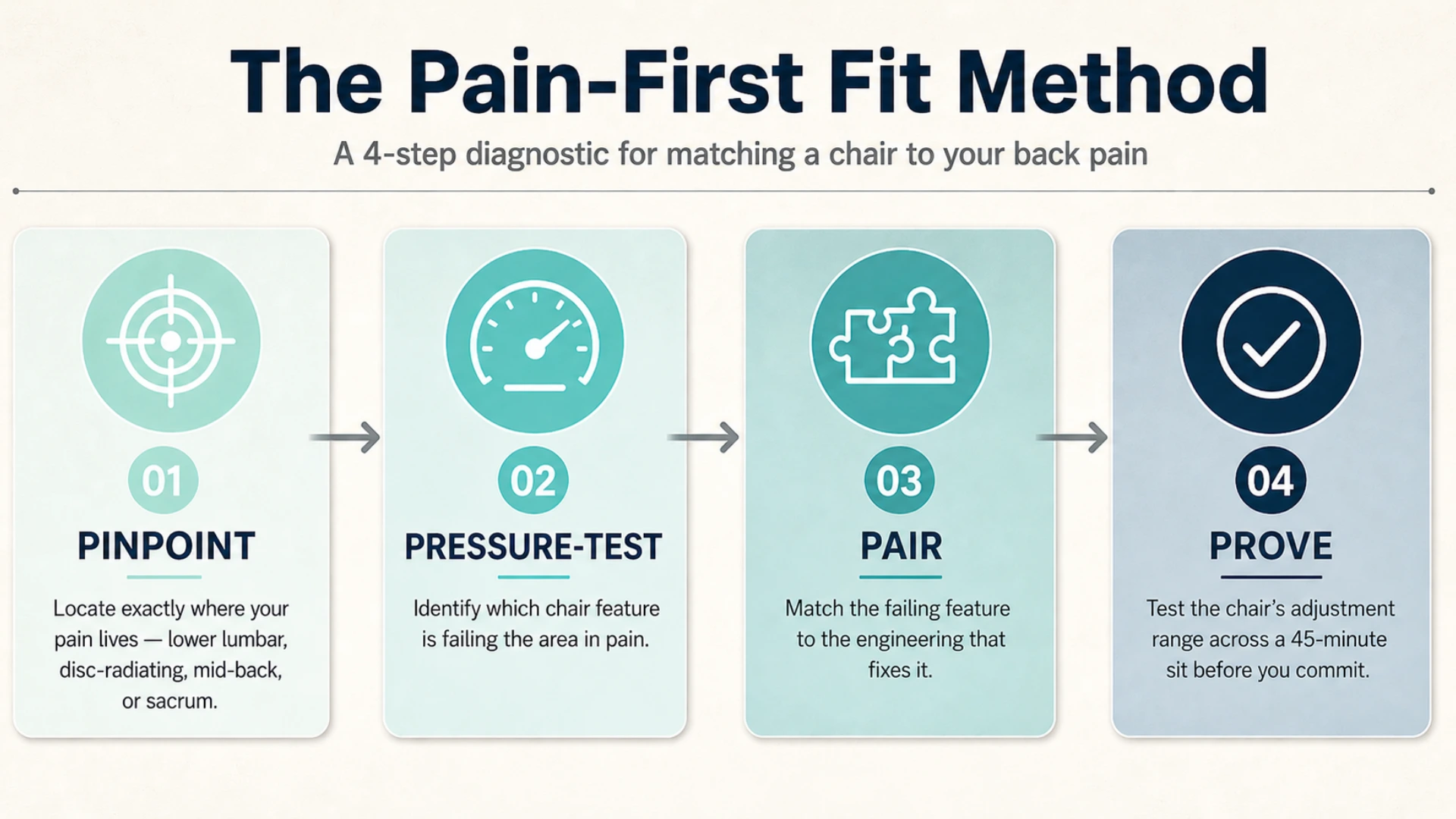
Step 1, Pinpoint: where is your pain pattern?
Sit down right now. Notice exactly where the pain lives.
Lower lumbar, dull and central? Disc-related, with radiation down a leg?
Mid-back, between the shoulder blades? Sacrum, at the base of the spine where it meets the pelvis?
Each pattern points to a different feature failure.
Most people skip this step. They search “best chair” instead of “best chair for [my pattern]”.
The first search returns generic round-ups. A pattern-specific search returns nothing useful, because no one writes content that specific.
So we do it inside the framework instead.
Step 2, Pressure-Test: which chair feature is failing you?
Once you know the pattern, you can identify the failing feature. Here’s the diagnostic map.
| Pain pattern | Likely feature failure |
|---|---|
| Dull lower-back ache, gets worse through the day | Lumbar depth doesn’t match your lordosis |
| Sharp pain or numbness radiating down the leg | Seat depth too long; pelvis can’t anchor |
| Mid-back tension between shoulder blades | Backrest height too short; thoracic unsupported |
| Sacrum or tailbone pressure | Seat foam too soft, or seat angle locked too flat |
| Pain that builds across hours but starts mild | Tilt mechanism is locked, no micro-movement |
This isn’t a clinical diagnosis. It’s a mechanical one.
Your spine is reacting to a missing surface or a missing motion. Find the gap, and you’ve found the feature you need.
Step 3, Pair: matching feature to mechanism
Now pair each failure with the engineering that addresses it.
Lumbar mismatch needs depth-adjustable lumbar, not just height adjustment. Seat-depth issues need a slider mechanism, typically 50–60mm of travel.
Mid-back gaps need a high-back chair with adjustable backrest height. Sacrum pressure needs medium-density foam (not pillow-soft) plus a forward seat tilt option.
Locked-in posture needs a synchro-tilt with a 2:1 ratio that lets the seat and back move together at calibrated rates.
Each match is mechanical. There’s no mystery to it.
The chair industry has just made it sound more complicated than it is.
Pain points to a feature failure. Diagnose the feature, find the chair. The reverse never works.
Step 4, Prove: how to test fit before you commit
Sit in the chair. Adjust every setting fully through its range, and sit for 45 minutes minimum.
Notice three things. Did the lumbar contact stay where it should as you reclined?
Was your pelvis anchored when you leaned forward to type? Could the chair invite micro-movement, or did it lock you in?
If any of those answers is “no”, the chair fails the test.
A 45-minute showroom sit isn’t perfect. But it filters out 80% of bad fits before money changes hands.
Chair Features That Actually Address Back Pain (and What’s Marketing)
Not every spec sheet feature reduces back pain. Some of them just look impressive.
Here’s the manufacturer’s view of what matters.
Adjustable lumbar support: the depth question that matters most
The single most-marketed feature in office chairs is also the most misrepresented. “Adjustable lumbar” usually means height-adjustable lumbar.
You slide a panel up or down to align the bulge with your L3–L5 region. That’s helpful, but it’s only half the problem.
The other half is depth, how far the lumbar pad pushes into your back. A shallow lordosis needs minimal push, a deep lordosis needs more.
Without depth control, you get one of two failure modes. The lumbar pad presses too hard on a shallow curve and forces you into hyperextension.
Or it underfills a deep curve and you slouch right past it.
Look for chairs that adjust both height and depth. Two dials, not one.
The engineering behind these mechanisms matters. For deeper context, read what built-in lumbar support actually does to your spine.
The depth-versus-height question is what decides it. See choosing between a lumbar cushion and a chair with built-in support for the full breakdown.
Seat depth and waterfall edge: why most readers get this wrong
Your seat depth should leave 2 to 3 fingers of clearance behind your knees. Sit with your back fully against the lumbar support to test this.
Too long, and the seat’s front edge presses into the back of your knees. Blood circulation drops.
You shift forward to relieve it, and your lumbar disconnects. The pain follows.
Too short, and your thighs aren’t supported. Weight transfers to the ischial tuberosities (the sit bones), and that’s where sacrum pressure starts.
Look for a seat slider with at least 50mm of travel. The waterfall front edge should curve down gently, not square off.
Synchro-tilt mechanism: the 2:1 ratio explained
Reclining correctly comes down to how the synchro-tilt mechanism coordinates your seat and back.
In a synchro-tilt chair, the seat and backrest move together when you lean back. They move at different rates, typically a 2:1 ratio.
The backrest reclines twice as far as the seat tilts up. This keeps your feet on the floor, your hips in alignment, and your monitor in your eye line.
Cheap chairs use a “knee-tilt” or pivot at the back of the seat. That lifts your feet off the floor.
It looks like recline. The reality is destabilization.
Research from UC Berkeley’s Human Factors and Ergonomics Program found that proper armrest and tilt adjustment increases micromotion. That micromotion may help reduce low back pain from sitting.
Lumbar support that doesn’t move with your spine becomes lumbar pressure by hour five.
Armrest dimensionality: 4D vs 3D vs fixed
Armrest specs go up to 4D. Each “D” is a direction of adjustment.
- 1D / fixed: No adjustment. Skip.
- 2D: Height only. Acceptable budget option.
- 3D: Height + width + depth. Solid for most users.
- 4D: Adds pivot or angle. Best for users with shoulder or upper-back tension.
The reason armrests matter for back pain isn’t obvious. Your arm weight is roughly 5% of your body weight per side.
Without support, that weight pulls down through your shoulders into your upper back. Five hours of that, and the tension lands in the muscles along your spine.
The same load path feeds neck pain when forward head posture kicks in.
Get the armrests under your elbows at a relaxed 90°. The lower-back pain you’ve been blaming on the seat may be coming from the shoulders.
Mesh vs foam: which is better for back pain at hour five?
The mesh-versus-foam debate is mostly a wash. What matters more is pressure distribution, not material.
Mesh distributes weight by tension. A high-tension polyester mesh, like the kind used in BIFMA-certified chairs, holds you up without sinking.
It also breathes, which matters in warm climates.
High-density foam (cold-cure, not the cheap polyurethane in budget chairs) molds to your shape without bottoming out. It can outperform mesh for users who feel “suspended” rather than supported.
The right answer depends on your weight and your climate. A 60kg user in a cool office may prefer foam.
A 90kg user in Malaysia probably wants mesh.
Mesh versus foam is the wrong question. Pressure distribution under your specific weight is the right one.
Five Ergonomic Chairs Matched to Specific Pain Patterns
These picks aren’t ranked by overall comfort. They’re ranked by which pain pattern they address best.
Read the failure mode first, then check the chair.
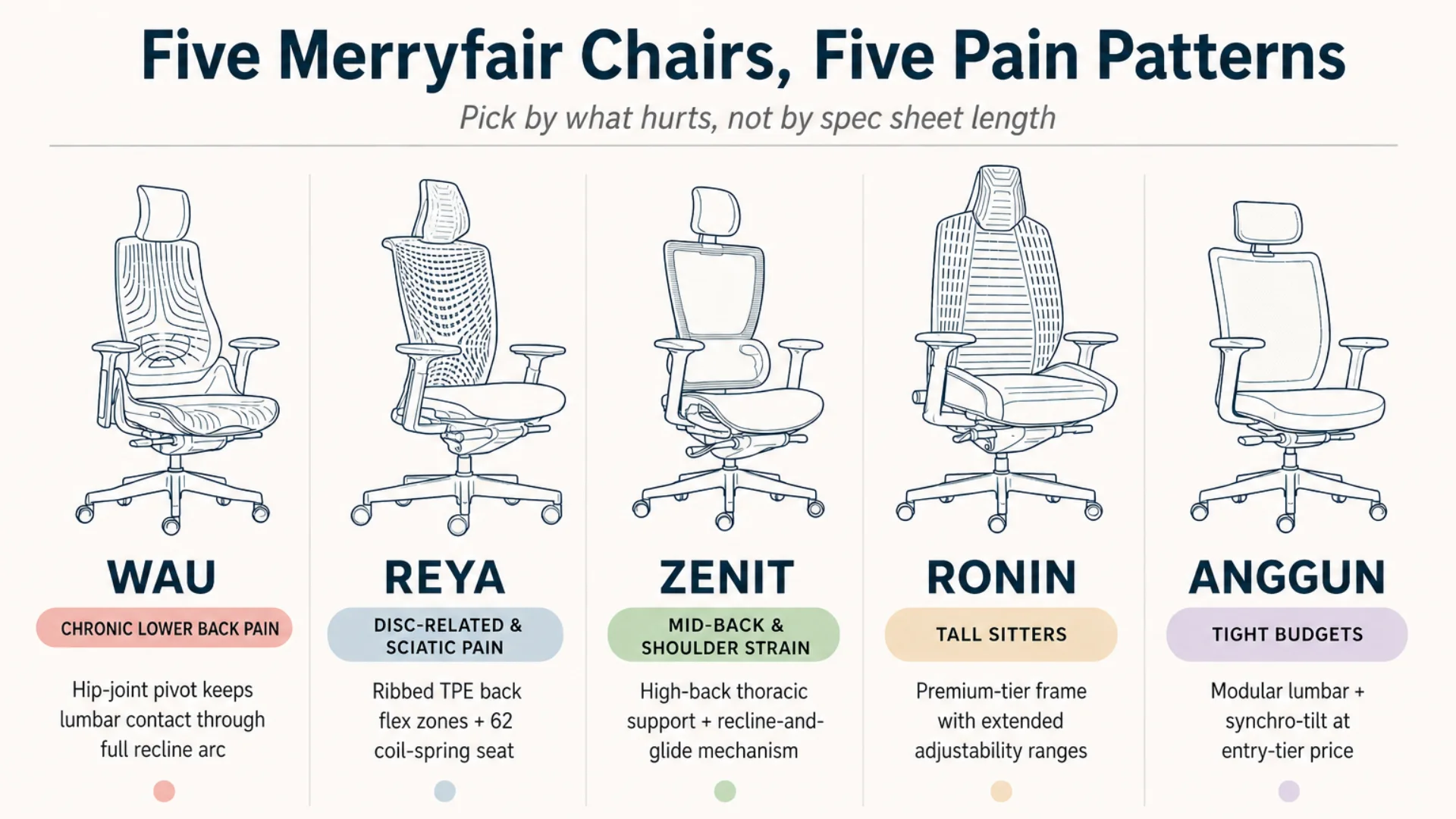
Best for chronic lower back pain: Merryfair Wau
The Wau is Merryfair’s flagship ergonomic chair. Its back and seat pivot close to the hip joint, keeping lumbar contact constant through a full recline arc.
A deep scalloped form cradles the spine instead of flat-supporting it. Lumbar, headrest, and armrests adjust independently across the modular Wau system.
Both BIFMA durability and Greenguard Gold low-emission certifications apply. The hip-joint pivot is what matters most for chronic lower back sufferers.
Most chairs lose lumbar contact when you recline. The Wau’s geometry keeps the support tracking your spine throughout.
Best for disc-related and sciatic-radiating pain: Merryfair Reya
Disc and sciatic patterns need a chair that encourages micro-movement and distributes pressure dynamically. The Reya is built around exactly that.
Its ribbed TPE back flexes independently across the lumbar and shoulder zones. The seat replaces foam with 62 coil springs that distribute pressure beneath you.
Dynamic pressure distribution beats static padding for disc-pattern pain. Position-shifting is encouraged, not penalized.
For sciatic-radiating users, pair the Reya with medical guidance. A chair complements treatment but does not replace it.
The chair’s contribution starts with a setup sequence calibrated to sciatic nerve geometry, not a generic adjustment.
Best for mid-back and shoulder strain: Merryfair Zenit
The Zenit is Merryfair’s executive ergonomic chair. Its high-back design reaches into the thoracic region where mid-back strain tends to live.
Headrest and adjustable armrests come standard, addressing the upper-back and shoulder load-paths together. The recline-and-glide mechanism encourages micro-movement during long meetings.
Mid-back tension usually traces to two failures, both addressed here. The thoracic zone gets backrest contact, and the shoulders unload onto adjustable armrests.
BIFMA and Greenguard Gold certifications apply. The Zenit is built for users who spend hours upright in calls, reading, or focused work.
Best for tall sitters with back pain: Merryfair Ronin
The Ronin is Merryfair’s premium-tier executive chair. Built for sustained heavy daily use, it sits above the Wau in the seating range.
Tall sitters need a chair where the adjustability range covers their proportions, not an average user’s. The Ronin’s larger frame and premium build accommodate this where mid-tier chairs hit their limits.
Test the fit before committing. If the chair’s adjustment range covers your seat depth, backrest height, and headrest position, it works.
BIFMA durability and Greenguard Gold emission certifications apply, backed by the five-year mechanism warranty.
Users who spend extended hours at the desk face a separate selection question. See finding ergonomic chairs that hold up to long workdays for the dedicated checklist.
Best for tight budgets: Merryfair Anggun
The Anggun is Merryfair’s entry-level ergonomic task chair. Its 3mm back frame keeps the profile slim without sacrificing structural support.
Synchro-tilt is included, and it auto-adjusts resistance to your body weight. Three-way armrests cover height, depth, and swivel.
Critical for budget-conscious back-pain users: the headrest and lumbar pad are optional add-ons. You can add them later without replacing the chair.
That modular approach hits both budget non-negotiables. BIFMA durability and adjustable lumbar at the entry tier.
Skip the gimmicks at this price point. Massage modules, gel pads, and “racing seat” silhouettes that push the shoulders forward fix nothing for back pain.
Setting Up Your Chair to Actually Reduce Back Pain
Buying the right chair is half the work. The other half is setup.
Most people set their chair once, never again. Wrong settings can turn a great chair into a back-pain machine.
How should I sit in an ergonomic chair to relieve back pain?
Set seat height first, with hips slightly above knees and feet flat on the floor. Then seat depth.
Slide forward until your lower back contacts the backrest. Leave 2 to 3 fingers of clearance behind your knees.
Adjust lumbar height next, aligning the support with the curve of your lower back. Then armrests.
Elbows at 90°, shoulders relaxed. Recline last.
Sitting in a good chair and benefiting from it are different things. The pairing of the correct sitting posture to pair with an ergonomic chair closes that gap.
What height, depth, and angle settings work for most spines?
For most users, the targets below provide a starting calibration. Re-test each one across a full work week.
- Seat height: hips 1–2cm above knees
- Seat depth: 2–3 fingers behind knees clearance
- Lumbar height: aligned with belt line (typically 22–28cm above seat surface)
- Lumbar depth: just enough to fill the curve, no harder push
- Armrests: elbows at 90°, shoulders neither lifted nor slumped
- Recline: 100–110° during typing, beyond 110° for decompression breaks
- Headrest (if equipped): supports the back of the skull when fully reclined
Adjust once. Test for a week.
Re-adjust based on what your body tells you.
How long before an ergonomic chair starts helping?
Two to three weeks of consistent daily use is the realistic window for measurable change. The first 48 hours can feel worse, not better.
Your body has adapted to its old slouch, so the new chair forces a corrected posture. The muscles holding you upright will protest.
Back pain rarely starts in the chair. But the wrong chair stops it from healing.
If nothing has changed after three weeks of correct setup, the chair isn’t the problem, or only part of it.
What Your Chair Won’t Fix on Its Own
A chair is not a treatment. It’s an environment.
The right chair removes a chronic stressor. It doesn’t undo damage already done.
Why posture and movement still matter
The best ergonomic chair for back pain is still a chair you sit in. Sitting itself, even with perfect support, is a static load.
Research published through UC Berkeley’s Human Factors and Ergonomics Program found that even properly adjusted chairs benefit from regular micromovement.
Stand once an hour. Walk for two minutes.
Stretch your hip flexors. The chair handles the static support.
Your body still needs the dynamic load that movement provides.
When chair adjustments aren’t the answer
Run the Pain-First Fit Method. Set up the chair correctly.
Use it for three weeks. If pain hasn’t responded, the chair isn’t the variable.
It might be a disc issue, a muscle imbalance, or a nerve impingement. Something a chair can’t reach.
That’s when a physiotherapist, chiropractor, or spine specialist enters the picture. The chair gave them a stable platform to work from.
It can’t do their job.
The 3-week test: when to consult a professional
Three weeks of consistent use, correct setup, no improvement in pain pattern? See a qualified healthcare professional.
Bring a description of your seated setup. The clinician will tell you whether the chair is contributing, neutral, or in the way of recovery.
This content is for informational purposes only. If you have existing back pain, a diagnosed disc condition, or sciatic symptoms, consult a qualified healthcare professional. A seating change alone may not resolve them.
Make the Chair Match the Spine, Not the Spec Sheet
The right chair isn’t the one with the longest spec sheet. It’s the one whose mechanism fits your specific pain pattern.
That’s not a slogan. It’s the conclusion every ergonomic manufacturer arrives at after fifty years of fitting bodies.
The chair that fits a 5’2″ sitter rarely fits a 6’1″ sitter. Adjustability solves this; marketing copy doesn’t.
Pinpoint your pattern. Pressure-test the failing feature.
Pair it to the mechanism. Prove it before you commit.
The Pain-First Fit Method takes longer than scrolling a top-ten list. It also gives you a chair that actually works.
Ready to test certified, depth-adjustable ergonomic chairs against your own pain pattern? Visit the full Merryfair ergonomic seating range at our showrooms in Malaysia, Singapore, Thailand, and China.
Bring your spine. We’ll fit the chair to it.
Frequently Asked Questions
Is a hard or soft chair better for back pain?
Neither extreme. A medium-firm seat with high-density foam or properly tensioned mesh is best for back pain. Too soft, and the pelvis sinks, flattening the lumbar curve. Excess firmness concentrates pressure on the sit bones. The right firmness keeps the pelvis anchored without compressing soft tissue.
Can an ergonomic chair really fix back pain?
A chair removes a chronic stressor, but it doesn’t reverse existing injury. For pain caused by poor seating posture, the right chair can produce measurable improvement within 2 to 3 weeks. With pain from disc disease, muscle imbalance, or nerve issues, the chair complements treatment but won’t replace it. Full pain resolution depends on the underlying cause.
What’s the best chair for sciatica or disc-related pain?
The best chair for disc-related pain prioritises seat-depth adjustability above all else, with at least 50mm of slider travel. Your pelvis must anchor without forward-tipping. A forward seat-tilt option helps decompress the discs during focused work. Always pair the chair with medical guidance, since disc and sciatic conditions need clinical input no chair can substitute.
How long before an ergonomic chair starts helping?
Most users notice measurable improvement within two to three weeks of consistent daily use, with correct setup. The first 48 hours can feel worse as your body adjusts to a corrected posture. If nothing changes after three weeks, the chair likely isn’t the source. A clinical assessment is the next step.
Are mesh chairs or cushioned chairs better for back pain?
Both can work. Mesh distributes weight through tension and breathes well in warm climates. High-density cold-cure foam molds to body shape and supports heavier users without bottoming out. The decision is about pressure distribution under your specific weight and climate, not the material itself. A 90kg sitter in a tropical climate usually does better in mesh.
Can a gaming chair help with back pain?
Most gaming chairs make back pain worse. The racing seat silhouette pushes the shoulders forward into a kyphotic posture, and bucket seats restrict pelvis movement. A small number of gaming-styled hybrids have proper ergonomic adjustability, but the majority prioritise aesthetics over biomechanics. For chronic back pain, an ergonomic task or executive chair almost always outperforms a gaming chair.
MORE BLOGS
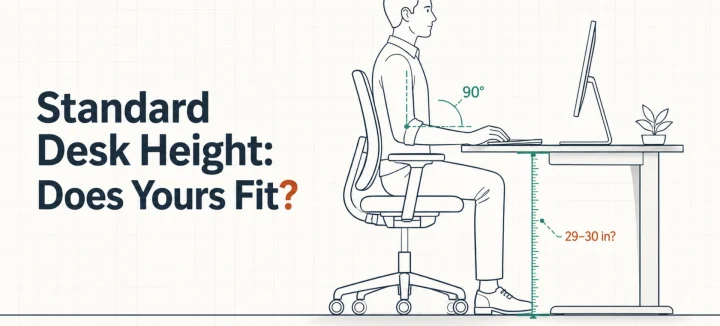
Standard Desk Height: Is 29 Inches Right for Your Body?
Standard desk height is 29 to 30 inches (73 to 76 cm). That number fits far fewer people than you’d think. A desktop that tall matches the seated elbow height of someone around 6’2″. The average American man stands 5’9″, and the average woman 5’3.5″. So this guide does two jobs. It shows you how […]
Read More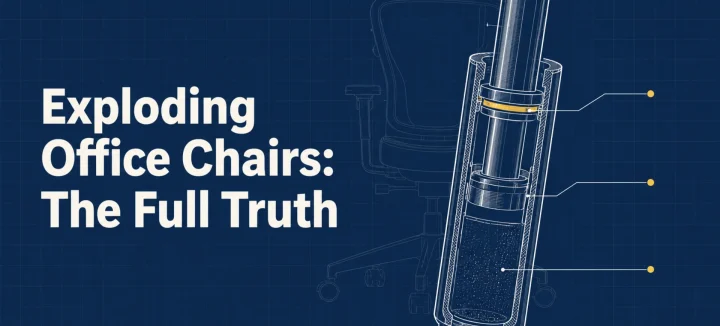
Exploding Office Chairs: The Full Truth From a Chair Maker
The exploding office chair story resurfaces every few years, same grainy photos attached. So can a chair really burst? A handful have, and every documented case involved an uncertified gas cylinder (the pressurized tube that raises and lowers your seat). Chairs built to recognized safety standards fail differently: seals leak, the seat sinks, nothing bursts. […]
Read More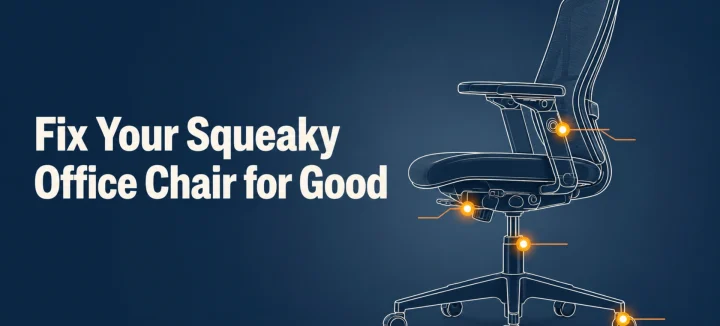
How to Fix a Squeaky Office Chair by Sound and Location
A squeaky office chair makes four different noises, and each one points to a different part. To silence it for good, find the source first: the tilt mechanism, gas cylinder, casters, or armrests. Then tighten what’s loose and lubricate with the right product for that joint. This guide matches each sound to its fix, and […]
Read More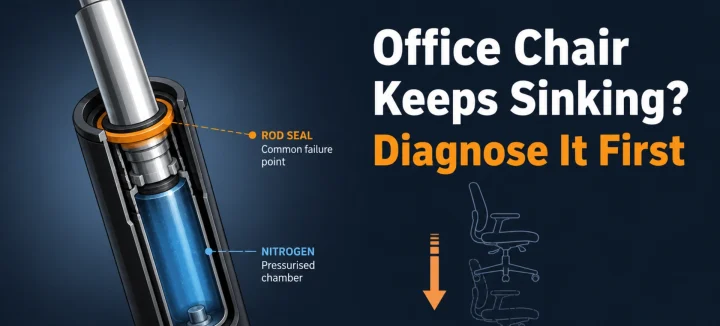
Office Chair Keeps Sinking? Diagnose and Fix It for Good
An office chair that keeps sinking or won’t stay up has one main cause: the gas cylinder under the seat is losing pressure. Worn seals let the nitrogen escape, so the piston stops holding your weight. A hose clamp or PVC pipe locks the height today; a new cylinder fixes it properly in 15 minutes. […]
Read More