Gaming Workstation Ergonomics: Beyond the Chair (2026)
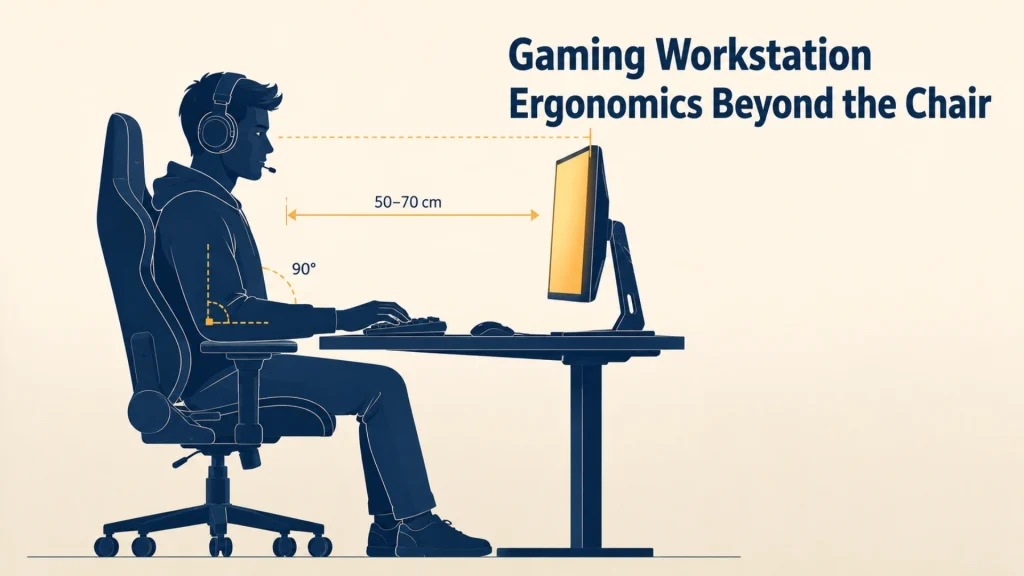
Gaming workstation ergonomics rarely ends with the chair. 70% of competitive gamers report wrist and hand pain anyway.
Gaming workstation ergonomics covers the monitor distance, desk height, arm position, and peripheral setup around your ergonomic chair through long sessions. The alignment between those pieces decides whether a six-hour run ends sharp or with sore wrists and a stiff neck.
This guide walks the rest of the station with exact numbers.
Key Takeaways
- Gaming workstation ergonomics starts at the chair, then builds outward. The monitor, desk, and arms calibrate around your seated geometry, not the other way around.
- Place your monitor 50 to 70 cm away with the top of the screen at or just below eye level. Push larger displays further back, not closer.
- Set desk height so your forearms float at around 90 degrees with shoulders relaxed. For most adults that’s 73 to 76 cm, but elbow height is what actually matters.
- Up to 70% of competitive gamers report wrist and hand pain. Wrist neutrality and armrest height aren’t optional details.
The Chair Sets the Foundation, Then the Rest Falls Into Place
Every measurement in this guide builds from one thing: where your hips and shoulders sit when you’re locked in. That’s the chair’s job.
Get it wrong and the rest doesn’t matter.
The chair sets the foundation; the rest of the workstation calibrates around it.
A gaming chair engineered with task-chair adjustability passes this check without workarounds.
Before reading on, run this prerequisite check on your chair:
- Chair height matches your popliteal height (the back of your knee)
- Feet sit flat on the floor with weight even
- Lumbar support meets your lower spine, not your mid-back
- Recline shifts between 100 and 110 degrees without your back losing contact with the seat
If any of those are off, fix the chair first. Don’t compensate with a taller monitor or lower desk.
You’ll just chase pain around your body.
For a deeper read, see how an ergonomic chair holds posture during long gaming sessions before tuning the rest.
What “posture chain” means for gamers
Your body sits in a kinetic chain. Feet anchor hips, hips anchor your spine, and your spine carries the shoulders and head.
A 2026 meta-analysis in Sports Medicine Open found considerable pain prevalence among esports players. Pain concentrated in the back and wrists, with the neck close behind. [REFRESH NOTE: verify newer meta-analyses every 9-12 months]
Those regions aren’t separate problems. They’re symptoms of the same chain going out of alignment.
When the chair holds you, the chain stays neutral. The moment it doesn’t, every downstream adjustment becomes a workaround.
And workarounds break down by hour three.
How Far Should Your Monitor Sit From Your Eyes During Long Sessions?
Place your monitor 50 to 70 cm from your eyes during gaming sessions, roughly an arm’s length. The top of the screen sits at or just below eye level, tilted back 10 to 20 degrees.
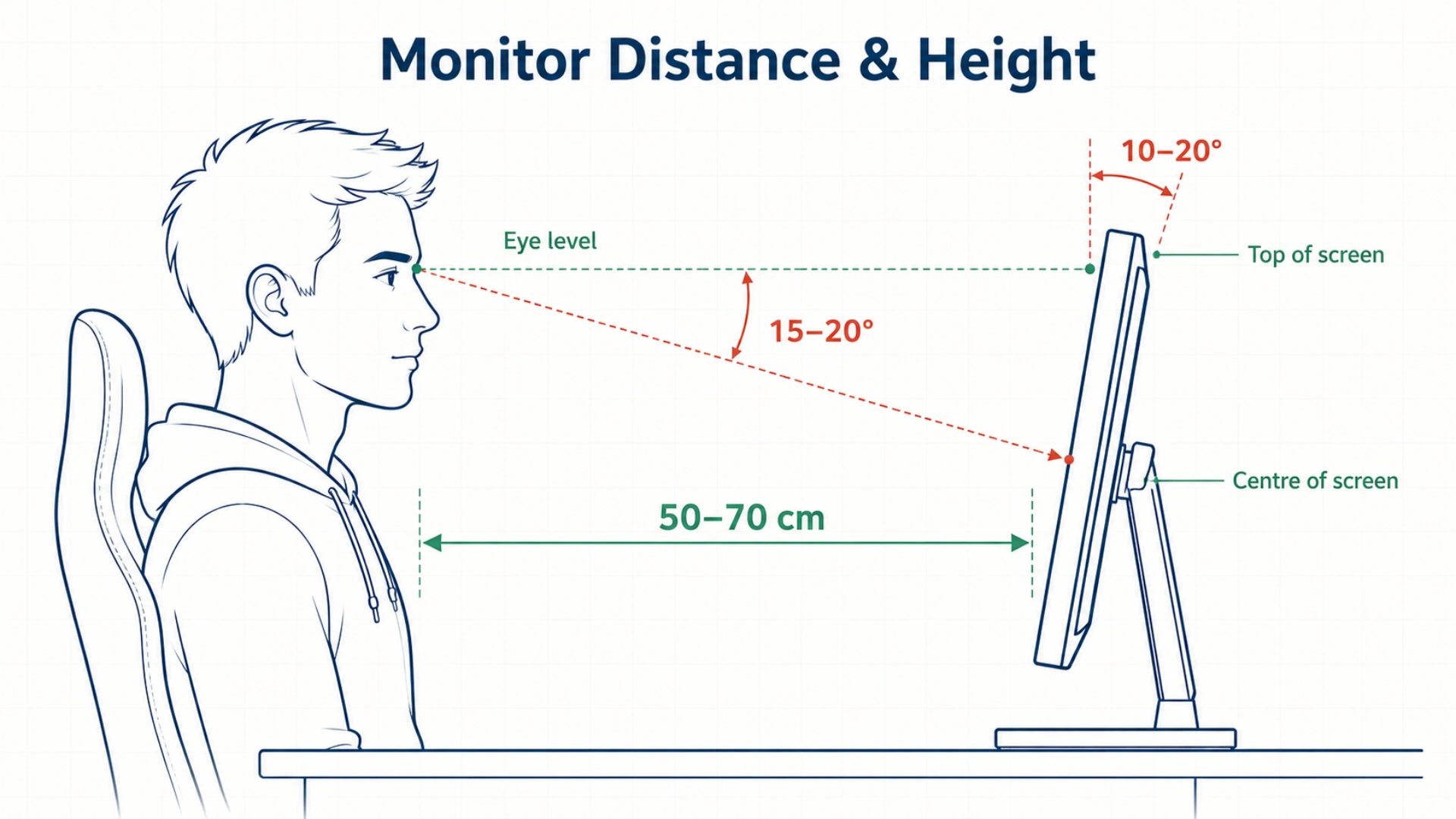
OSHA’s eTool for computer workstations lists 20 to 40 inches as the preferred viewing distance. It applies to gaming because eyes don’t know what game you’re playing.
They just register strain.
The ergonomic distance: 50 to 70 cm, sometimes more
At 50 cm, a 24-inch monitor feels right. The same distance with a 27-inch monitor is too close.
You’ll feel the difference within an hour.
Bigger displays need more distance from your face, not less.
Treat screen size like a step back from your body. The wider the screen, the further it sits.
If text on the corners blurs slightly, you’re too far. Sweeping your head to scan the screen means you’re too close.
How monitor size changes the rule
Wider screens need more distance so your eyes can scan without your head turning. Ultrawides and 32-inch panels often want 75 to 90 cm.
Curved monitors slightly forgive the distance, because their edges already wrap toward you.
If you run dual monitors, centre the primary one. Angle the secondary 20 to 30 degrees inward at the same distance.
Never run two displays flat side-by-side. Your neck pays for every glance to the second screen.
For broader principles this borrows from, see the workspace-zone framework for ergonomic setup, adapted here for gaming.
Eye level, downward gaze, and what most setups get wrong
The single most common gaming mistake is mounting the monitor too high. People assume “eye level” means the centre of the screen.
It doesn’t.
The top of the screen sits at or just below eye level. Your gaze then lands on the upper third of the display at a natural 15 to 20 degree downward angle.
A monitor too high forces your chin up and neck back. That’s the position you’d hold to read a billboard.
Hold it for three hours and your trapezius muscles will not forgive you.
If you’ve stacked a laptop on your CPU or balanced the screen on books, you’re too high. Drop it, mount it on an arm, and re-measure.
Getting Desk Height Right for 90-Degree Elbow Comfort
Your desk should let your forearms float level when your elbows bend around 90 degrees and your shoulders hang relaxed. For most adults that’s 73 to 76 cm, but your elbow height is what actually decides it.
Here’s the 60-second check to find your ideal height:
- Sit in your chair with feet flat
- Let your arms hang at your sides
- Bend your elbows to 90 degrees
- The height where your forearms sit is the desk surface height
- Add or subtract a centimetre for keyboard thickness
This calibration ties back to the Five-Point Posture Reset for proper seated alignment. Elbow geometry is one of five anchor points.
What desk height should I use for gaming?
Most gamers do well between 73 and 76 cm. Taller gamers (6’2″ and up) need 78 to 82 cm.
If you’re under 5’6″, drop the desk to 68 to 72 cm and add a footrest.
A standard gaming desk at 75 cm is right for the average. It’s wrong for everyone else.
Why 90 degrees isn’t the only answer
The 90-90-90 rule (90-degree angles at hips, knees, and elbows) is a starting calibration, not a rigid setting. Modern ergonomics treats anywhere between 90 and 110 degrees as acceptable.
Holding any one angle for hours creates its own stiffness. Set the desk to your 90-degree elbow position, then let your arms drift between 90 and 110 across the session.
Fixing a desk that’s too tall
Most desks don’t drop low enough for shorter gamers. Here’s the priority sequence.
Get your forearm height right first. If the chair has to rise above what your feet allow, that’s fine.
Then add a footrest. Hanging feet rotate your pelvis backward and flatten the lumbar curve within minutes.
Cheap footrests work fine. So does a stack of two thick books.
The point is contact, not luxury.
Arm, Wrist, and Mouse Hand Position That Prevents RSI
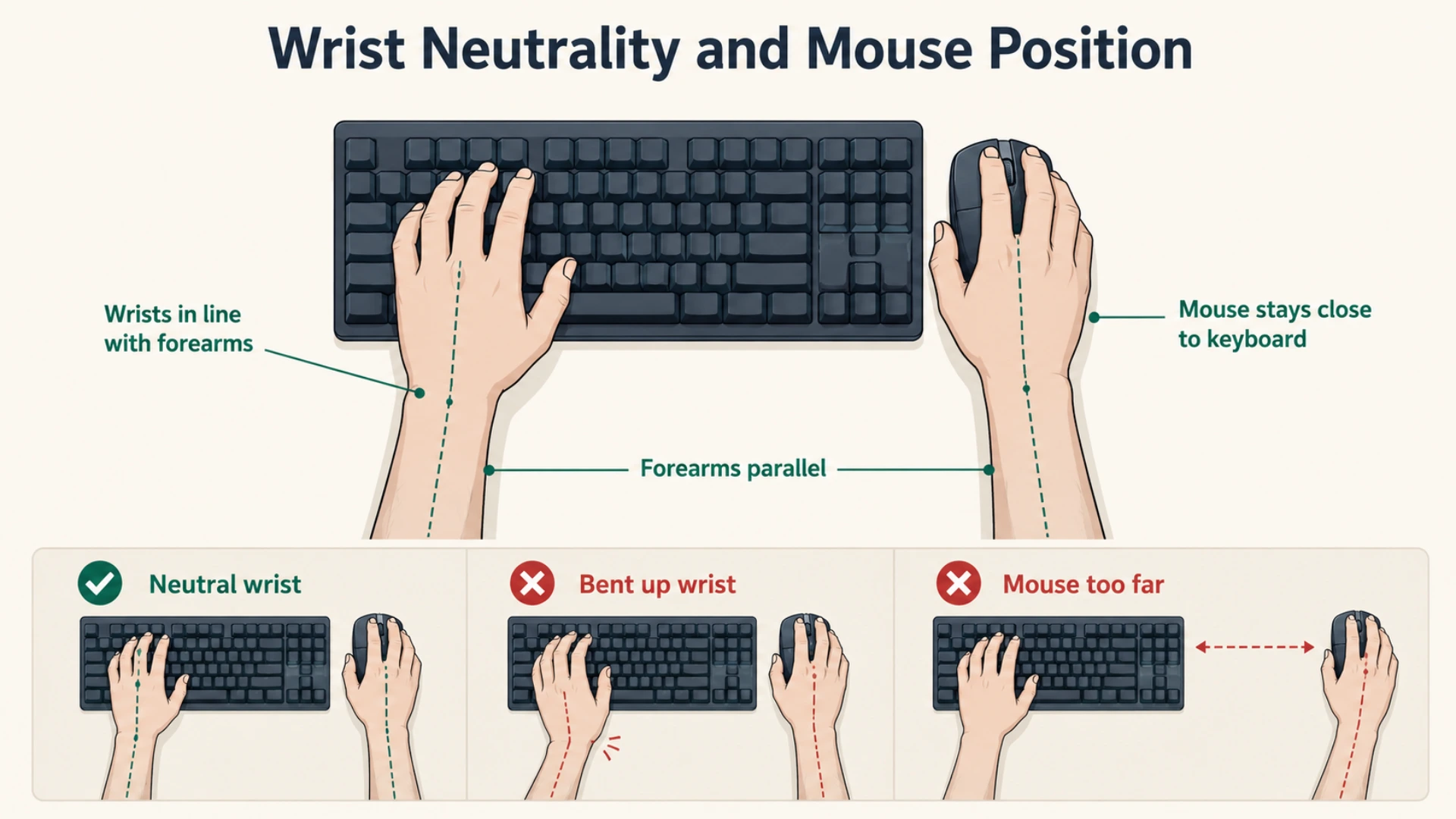
Your forearms float level, your wrists stay neutral, and your mouse sits close enough that you never reach for it. That geometry prevents most gaming-related repetitive strain injuries.
A 2025 study covered in BMC Sports Science, Medicine and Rehabilitation looked at wrist fatigue in esports athletes. Even highly trained players can’t escape it during marathon sessions.
Short breaks offered no relief, and game genre shaped the strain pattern.
Translation: your setup needs to absorb the load before fatigue catches up.
Where should your armrests sit during gameplay?
Set armrests to the height where your forearms rest gently on them with shoulders relaxed.
If the armrest pushes your shoulder up toward your ear, lower it. A sagging arm below desk height means raise it.
Adjustable 3D or 4D armrests give precision that fixed ones never will.
Armrests that push your shoulders up don’t support you; they load you.
During fast-twitch gameplay (FPS, fighting games), most players float their mouse arm off the rest entirely. That’s fine for short bursts.
In longer sessions, return to the rest between fights. Continuous arm-float adds up to shoulder fatigue.
Keyboard and mouse placement for neutral wrists
Place your keyboard directly in front of you, home row at elbow height. The mouse sits immediately beside it (left side for southpaws).
The instant your mouse drifts six inches sideways, your shoulder rotates out. Small angles compound across hours.
Wrist neutrality means the back of your hand stays in line with your forearm. No bending up, no bending down, no twisting.
A 2025 narrative review of esports injuries found most are RSIs. Carpal tunnel and tendinopathies top the list.
Almost all of those start at a wrist that wasn’t neutral.
Wrist rests: useful tool or strain shortcut?
A wrist rest is meant for rest, not for typing. When you’re actively keying or clicking, wrists should float above it.
Resting on the pad while clicking concentrates pressure on the median nerve. That’s the exact pathway to carpal tunnel.
Use the wrist rest between rounds and matches, not during them.
Why Game Genre Changes Your Ergonomic Setup
Different game genres produce different strain patterns across long sessions. An FPS player and an MMO player can develop pain in different places at the same workstation.
The same study found game-genre-specific kinematic changes in esports athletes. Your setup should account for what you actually play.
For the chair side of the equation, see which ergonomic chair features matter most for adjustable recline.
How game genre changes your strain pattern
FPS players make hundreds of small, fast wrist movements per minute. The strain concentrates in the wrist extensors.
MMO and MOBA players sustain keyboard holds for long stretches. Strain loads the fingers and shoulder.
Racing-wheel players lean forward into the wheel. The lower back and scapulae absorb most of the load.
Each pattern wants a slightly different setup.
Quick adjustments by genre
| Game genre | Dominant strain | Quick setup fix |
|---|---|---|
| FPS (Valorant, CS, Apex) | Wrist extensors, forearm | Lower mouse DPI, larger mousepad, neutral wrist, frequent forearm stretches |
| MMO / MOBA (WoW, LoL, Dota) | Fingers, shoulder, neck | Programmable keys, raised monitor, conscious shoulder drops between fights |
| Racing sims | Lower back, scapulae | Chair recline 100 to 105°, wheel at chest height, firm lumbar support |
| Fighting games | Thumb, forearm | Hitbox/leverless option, elbows close to torso, frequent micro-breaks |
| Long-session MMOs | Lower back, hip flexors | Stand every 30 min, tuned lumbar depth, footrest if desk is tall |
The pattern: identify what your hands do for hours. Then adjust the closest contact point to absorb it.
The 20-Minute Rule No Gaming Setup Can Replace
The best setup in the world won’t protect a body that doesn’t move. Stand up, stretch, or shift posture every 20 to 30 minutes during long sessions.
Pair that with the 20-20-20 rule for your eyes.
Static posture, even perfect static posture, isn’t what your body needs for six hours.
How often should you take breaks during long gaming sessions?
Every 30 minutes. That doesn’t mean leaving the chair every time.
A posture shift, a 30-second arm shake, or a stand-and-stretch counts.
A study of mobile esports athletes in Jakarta found 65.96% experienced musculoskeletal complaints. Shoulder (26.2%) and neck (25.4%) topped the affected regions, with hand pain at 21.3%.
Those aren’t setup problems. They’re stillness problems.
The 20-20-20 rule for eye strain (and what to add for your body)
Every 20 minutes, look at something 6 metres away for 20 seconds. That resets the ciliary muscles and prevents accommodative spasm.
But add this: every 30 minutes, do one shoulder roll and one neck rotation each direction.
It takes five seconds. That buys you another hour of pain-free play.
The best gaming setup is the one you adjust between matches.
Why static setup loses to dynamic posture
You’ll find a “perfect” posture by hour one. By hour three, it’s gone.
That’s not a moral failure. It’s biology.
Muscles fatigue, discs compress, eyes dry out.
The setup’s job is to make the return to neutral easy, not to lock you into one position.
Reclining 110° during cutscenes and sitting forward 95° during ranked play isn’t bad ergonomics. It’s good ergonomics.
The bad version is staying in either one for three hours straight.
Your Setup Is Only as Good as Its Weakest Adjustment
A perfect monitor distance can’t save you from a desk that’s too high. The right desk height can’t save you from armrests that lift your shoulders.
Gaming workstation ergonomics is a chain. The chain holds only as well as its weakest link.
The good news: fixing the weakest link is usually cheap.
A footrest. Monitor arm. Closer keyboard.
Most upgrades cost less than the gaming chair sitting under you.
If the chair is still the missing link, that’s where to start. Explore Merryfair’s full ergonomic seating collection to build on a foundation that holds.
This content is for informational purposes only. If you experience persistent pain during or after gaming, consult a qualified healthcare professional.
Frequently Asked Questions About Gaming Workstation Ergonomics
What is the 90-90-90 rule in gaming ergonomics?
The 90-90-90 rule means roughly 90-degree angles at your hips, knees, and elbows while seated. It’s a useful baseline for gaming workstation setup. Treat it as a starting calibration, then allow joints to drift between 90 and 110 across the session.
How do I stop wrist pain from gaming?
Start with the geometry. Place the keyboard at elbow height with your wrists neutral and mouse positioned close. Add a forearm stretch every 30 minutes during long sessions. If pain persists past a week, consult a physiotherapist before changing more gear.
Can a gaming chair fix bad ergonomics on its own?
No. A gaming chair sets the foundation, but it can’t compensate for a too-high monitor or wrong-height armrests. Each anchor point sets independently for the chair’s geometry to actually reach your body. The chair is one of five anchors, not all five.
How high should my monitor be for FPS gaming?
The screen top sits at or just below eye level, the same height as for any other genre. Tilt the display back 15 to 20 degrees so quick eye flicks land naturally on the centre. Avoid the gaming-chair trap of reclining deep while the monitor stays at desk height.
Is a standing desk worth it for long gaming sessions?
For gamers playing six or more hours daily, yes. Alternating between sitting and standing reduces accumulated hip and back load. You don’t need to stand for whole sessions. Standing 20 to 30 minutes per hour during slower segments delivers most of the benefit.
MORE BLOGS
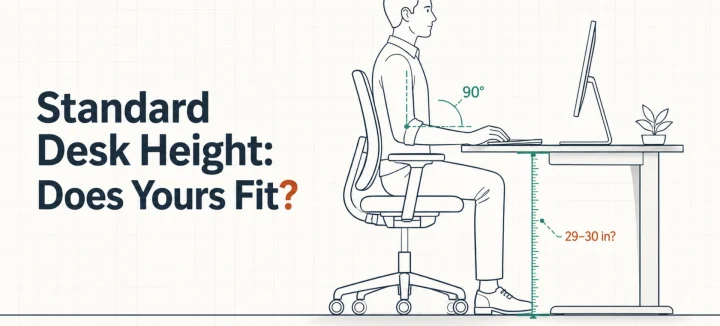
Standard Desk Height: Is 29 Inches Right for Your Body?
Standard desk height is 29 to 30 inches (73 to 76 cm). That number fits far fewer people than you’d think. A desktop that tall matches the seated elbow height of someone around 6’2″. The average American man stands 5’9″, and the average woman 5’3.5″. So this guide does two jobs. It shows you how […]
Read More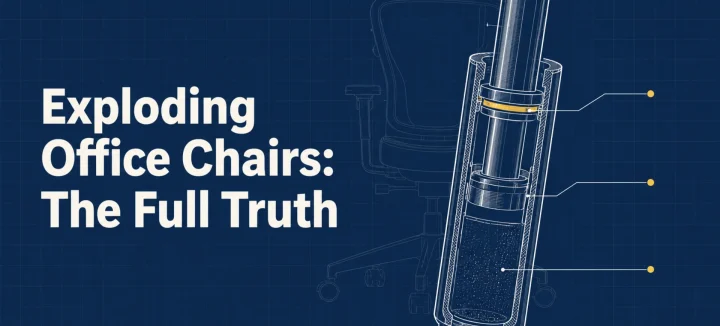
Exploding Office Chairs: The Full Truth From a Chair Maker
The exploding office chair story resurfaces every few years, same grainy photos attached. So can a chair really burst? A handful have, and every documented case involved an uncertified gas cylinder (the pressurized tube that raises and lowers your seat). Chairs built to recognized safety standards fail differently: seals leak, the seat sinks, nothing bursts. […]
Read More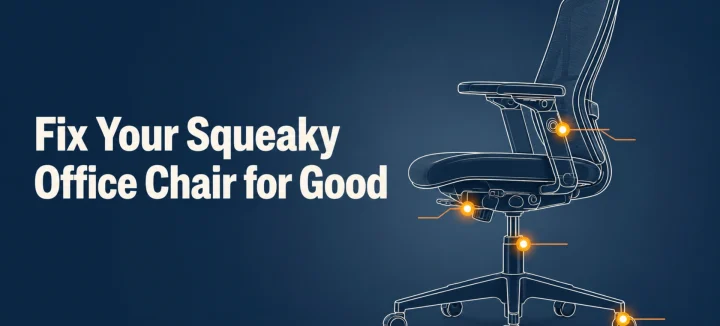
How to Fix a Squeaky Office Chair by Sound and Location
A squeaky office chair makes four different noises, and each one points to a different part. To silence it for good, find the source first: the tilt mechanism, gas cylinder, casters, or armrests. Then tighten what’s loose and lubricate with the right product for that joint. This guide matches each sound to its fix, and […]
Read More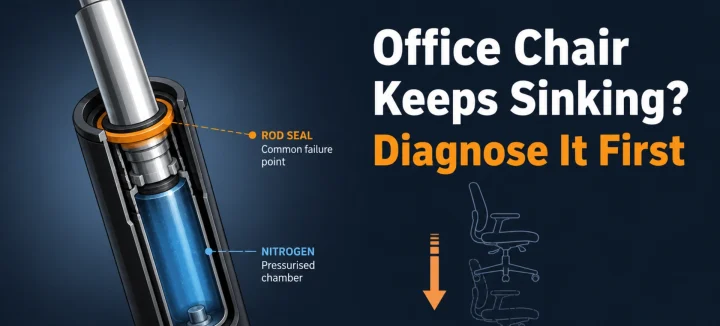
Office Chair Keeps Sinking? Diagnose and Fix It for Good
An office chair that keeps sinking or won’t stay up has one main cause: the gas cylinder under the seat is losing pressure. Worn seals let the nitrogen escape, so the piston stops holding your weight. A hose clamp or PVC pipe locks the height today; a new cylinder fixes it properly in 15 minutes. […]
Read More