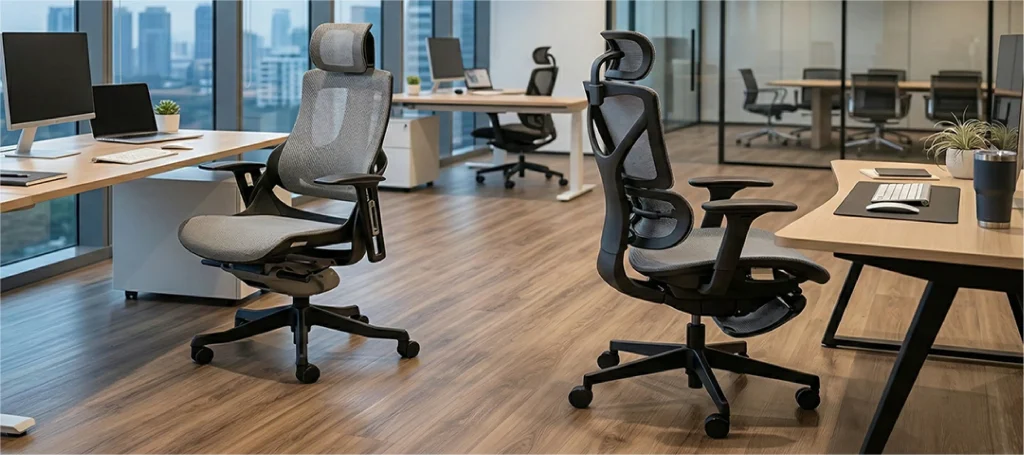
What Is Lumbar Support? Why Your Office Chair Needs It
12th March, 2026
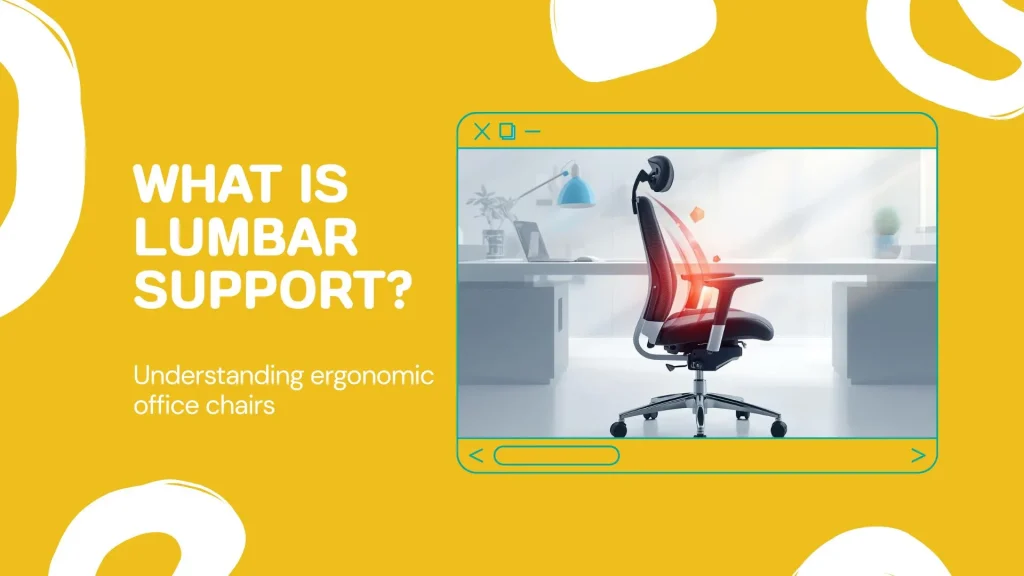
Lumbar support is a structural feature built into a chair’s backrest that maintains the natural inward curve of your lower back by filling the gap between your lumbar spine and the seat. Without it, spinal discs compress unevenly, muscles fatigue faster, and posture deteriorates within minutes.
It is also the single most important feature separating an ergonomic office chair from one that slowly damages your back.
Yet a 2025 study in Scientific Reports found that 80.81% of office workers experience musculoskeletal disorders, with lower back pain affecting more than half. The culprit, in most cases, is the chair they sit in for eight hours a day.
This guide breaks down the anatomy behind lumbar support, what happens when your chair lacks it, the types available in modern office chairs, and how to evaluate whether your current setup is protecting or harming your back.
How Your Lumbar Spine Works (and Why Sitting Strains It)
Your spine is not a straight column. It curves in three directions: forward at the neck (cervical), backward through the upper back (thoracic), and forward again at the lower back (lumbar).
Your lumbar spine carries the weight of your entire upper body, and every unsupported hour at a desk compounds the strain.
What part of the spine is the lumbar region?
The lumbar region consists of five vertebrae, labelled L1 through L5, located in the lower portion of your back. These vertebrae are the largest in the spinal column because they bear the most load. The natural inward curve of this region, called lordosis, acts as a shock absorber and keeps your torso balanced over your pelvis.
Between each vertebra sit intervertebral discs, gel-filled cushions that prevent bone-on-bone contact. These discs depend on the lumbar curve staying intact to distribute pressure evenly. When the curve flattens, pressure concentrates on the front edge of the disc, accelerating wear and increasing the risk of bulging or herniation.
Why does sitting put more pressure on your lower back?
Standing upright, your lumbar spine naturally holds its curve. Sitting changes the equation. Research from Spine-Health notes that disc pressure in the lumbar region increases by approximately 30% when seated compared to standing.
Disc pressure in your lower back increases by roughly 30% the moment you sit down without support.
The reason is biomechanical. Sitting rotates the pelvis backward, which pulls the lumbar spine out of its natural curve and into a flattened, or even reversed, position. Your back muscles then work overtime to compensate, leading to fatigue. Most people respond by slouching, which makes the problem worse.
A 2025 scoping review in the Journal of Back & Musculoskeletal Rehabilitation, covering 22 studies and 7,814 participants, confirmed that office workers spend approximately two-thirds of their daily work time sitting, and that sitting posture is a significant factor in lower back pain prevalence.
Here’s where it gets interesting.
What Lumbar Support Actually Does for Your Back
Lumbar support is not a comfort feature. It is a biomechanical intervention.
Lumbar support does not add something new to your spine; it restores the curve your spine already needs.
How does lumbar support maintain your spine’s natural curve?
A properly positioned lumbar support fills the space between the inward curve of your lower back and the flat surface of the chair’s backrest. This contact point prevents the pelvis from rotating backward, which keeps the lumbar spine in its natural lordotic position.
When your spine holds its curve, disc pressure distributes evenly across each vertebra. Muscles in the lower back can relax instead of constantly contracting to hold you upright. The result is less fatigue, less pain, and a posture that sustains itself over hours rather than collapsing within minutes.
Understanding how ergonomic chair features protect your spine during long work sessions begins with this single principle: keep the curve.
Can lumbar support fix bad posture?
It cannot reverse years of postural damage on its own. What it can do is remove the mechanical cause of continued deterioration.
Think of it this way. If you lean a bookshelf against a wall at a slight angle, it stays upright. Remove the wall, and it topples. Lumbar support acts as the wall. It holds your spine in the position where muscles, discs, and ligaments experience the least strain.
Over weeks of consistent use, the body adapts. Muscles that were overcompensating begin to relax. Muscles that had weakened from disuse gradually re-engage.
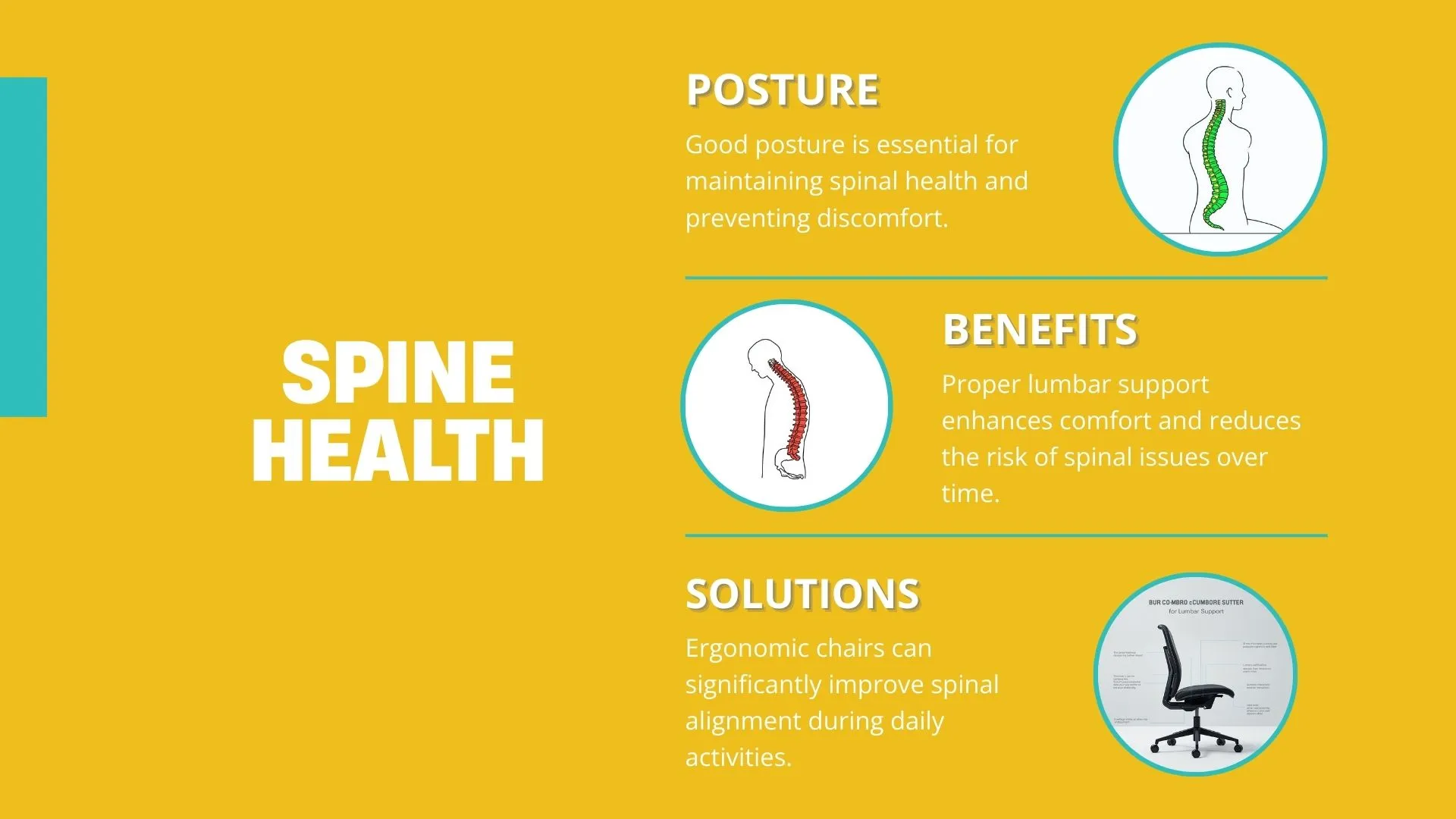
Combined with regular movement breaks and conscious sitting habits, lumbar support creates the conditions for posture to improve. It does not fix posture. It makes fixing posture possible.
What Happens When Your Office Chair Lacks Lumbar Support
The most common office chair injury is the one nobody notices until it becomes chronic.
The absence of lumbar support does not cause immediate pain in most people. It causes a gradual chain reaction that builds over weeks and months. By the time discomfort becomes noticeable, structural changes may already be underway.
What are the signs of poor lumbar support?
Your body sends signals before pain arrives. These warning signs indicate your chair is not supporting your lower back:
- You catch yourself slouching within 20 minutes of sitting down
- Your lower back feels stiff or achy when you stand up after an hour
- You instinctively shift positions, lean forward, or perch on the edge of your seat
- You feel tension spreading from your lower back into your hips or upper back
- Fatigue sets in earlier in the day than your workload justifies
If three or more of these apply to you, your chair’s lumbar support is either absent, mispositioned, or inadequate for your body.
Recognising warning signs that your current chair is damaging your posture early makes the difference between a simple chair upgrade and a long recovery.
How does poor seating lead to chronic back pain?
Without lumbar support, the flattened spine compresses the anterior portion of the intervertebral discs. Over time, this uneven loading weakens the disc wall, increasing the risk of bulging, herniation, or nerve impingement.
The surrounding muscles compensate for the spine’s compromised position. The erector spinae group, which runs along both sides of the vertebral column, enters a state of constant low-level contraction. This is metabolically expensive and leads to muscle fatigue, trigger points, and eventually chronic pain patterns.
The cost extends beyond physical health. Research from the Georgetown University Health Policy Institute estimates that back pain costs over $12 billion annually in the US alone, factoring in healthcare expenses and lost productivity. At an individual level, the connection between executive seating quality and daily productivity is measurable: when your back is fighting your chair, your focus pays the price.
A proper lumbar-supported chair costs a fraction of what chronic back pain costs in lost productivity and medical bills.
But there’s a catch. Not all lumbar support is created equal.
Types of Lumbar Support in Office Chairs
Office chairs deliver lumbar support through three primary mechanisms. Each suits a different use case, budget, and body type.
What is the difference between fixed and adjustable lumbar support?
Fixed lumbar support treats every spine the same, and no two spines are the same.
| Feature | Fixed lumbar support | Adjustable lumbar support | Dynamic lumbar support |
| Mechanism | Built-in curve moulded into backrest | User-controlled height and/or depth adjustment | Automatic tension system that responds to movement |
| Adjustability | None | Height, depth, or both | Self-adjusting based on posture shifts |
| Best for | Budget-conscious buyers, short sitting sessions | Most office workers, varied body types | Users who shift postures frequently throughout the day |
| Typical price range | Lower-end chairs (under RM500) | Mid-range to premium (RM600–RM2,000+) | Premium ergonomic chairs (RM1,500+) |
| Limitation | May not match your specific spinal curve | Requires initial setup and occasional readjustment | Higher cost; fewer options available |
Fixed lumbar support is better than no lumbar support. That said, since every spine has a slightly different curve depth and position, a one-size approach often results in the support landing too high (mid-back) or too low (sacral area), missing the lumbar region entirely.
Adjustable lumbar support lets you position the support at the exact point where your L3–L5 vertebrae curve inward. Some chairs offer height adjustment only, while premium models add depth control, allowing you to increase or decrease how far the support pushes into your back.
For a clearer picture of the real ergonomic differences between gaming chairs and office chairs, lumbar support quality is often the deciding factor.
How do I adjust lumbar support on my office chair?
Start by sitting with your hips pressed fully against the backrest. Reach behind and locate the lumbar adjustment (a knob, lever, or sliding pad, depending on the chair model).
Raise or lower the support until you feel firm, comfortable pressure at the small of your back, roughly at belt level. The support should fill the natural gap between your lower back and the chair without pushing you forward.
If your chair offers depth adjustment, increase the depth gradually until the support feels like it’s holding your curve rather than forcing it. You should be able to sit for 30 minutes without feeling the urge to shift or slouch.
How to Choose an Office Chair with the Right Lumbar Support
Knowing lumbar support matters is the first step. Knowing how to evaluate it before you buy is where most people make mistakes.
Where should lumbar support be positioned on a chair?
The lumbar support should align with the inward curve of your lower back, typically between your L3 and L5 vertebrae. In practical terms, this is roughly the area at or just below your belt line.
If you can slide your fist between your lower back and your chair, your lumbar region is unsupported.
Test this now. Sit in your current chair with your back against the backrest. Slide your hand behind your lower back. If there is a significant gap, your chair is not providing lumbar support. The contact between your lower back and the chair should feel firm and continuous.
How do I know if I need lumbar support?
If you sit for more than three hours per day, you need lumbar support. The question is not whether you need it. The question is whether you currently have it.
Merryfair’s analysis of ergonomic seating identifies three factors that determine whether a chair’s lumbar support is working for you. We call this the Lumbar Support Triangle:
- Curve Alignment — Does the support contact the natural inward curve of your lumbar spine (L3–L5), not your mid-back or sacrum?
- Depth Pressure — Does the support fill the gap between your back and the chair firmly enough to prevent slouching, without pushing you uncomfortably forward?
- Adjustability Range — Can the support be repositioned to match different postures throughout the day (upright work, relaxed reading, reclined calls)?
It is worth noting that some ergonomic research positions pelvic support as the foundational layer — when the pelvis is correctly tilted, the lumbar curve follows more naturally — with lumbar support reinforcing and sustaining that alignment throughout the day.
If your chair fails on even one of these three factors, it is compromising your lower back. A guide to how to pick the best ergonomic chair for your workspace in Malaysia walks through the full evaluation process.
For those on a tighter budget, there are affordable ergonomic chairs with lumbar support starting under RM1,000 that still score well on all three Triangle criteria.
The right lumbar support turns eight hours of seated work from a health liability into a sustainable habit.
FAQ: Lumbar Support
Is it good to wear lumbar support all day?
Yes, provided it is correctly positioned. Lumbar support is designed for continuous use during seated work. It maintains your spinal curve without requiring muscle effort, which means it reduces fatigue rather than causing dependency. The key is correct alignment: the support should contact your lower back, not your mid-back.
Can I add lumbar support to my existing chair?
You can. Lumbar cushions and back support pillows attach to most office chairs and provide a basic level of lower back support. However, external cushions tend to shift during use and cannot match the integrated performance of a chair with built-in adjustable lumbar support, which tracks your spine’s position as you move throughout the day.
Does lumbar support help with sciatica?
Proper lumbar support reduces disc compression in the lower back, which can relieve pressure on the sciatic nerve. Sciatica has multiple potential causes, including disc herniation, spinal stenosis, and piriformis syndrome. If you experience radiating leg pain, consult a healthcare professional for diagnosis before relying on seating changes alone.
What is the best lumbar support for working from home?
A chair with height-adjustable and depth-adjustable lumbar support offers the most versatile solution for home offices. Look for a chair that also provides seat depth adjustment and a recline mechanism, since WFH setups often involve switching between focused desk work and video calls. The combination of lumbar support with overall ergonomic adjustability matters more than any single feature.
How long does it take to feel the benefits of lumbar support?
Most people notice reduced lower back tension within one to two weeks of consistent use. If you have been sitting without lumbar support for years, the initial sensation may feel unfamiliar or even slightly uncomfortable. This is normal. Your muscles are adapting to a supported position after compensating for an unsupported one. Allow two to three weeks before evaluating the effect.
What is the difference between lumbar support and back support?
Back support is a broader term referring to the entire backrest’s contact with your back — covering the upper, mid, and lower regions. Lumbar support is specific: it targets the lumbar region (L1–L5), the five vertebrae in your lower back that bear the most load during prolonged sitting. A chair can offer full back support without providing adequate lumbar support if the backrest does not fill the natural inward curve of the lower back.
Your Back Has Been Carrying Your Workday. Time to Return the Favour.
Lumbar support preserves the natural inward curve of your lower back while you sit. Without it, disc pressure rises, muscles fatigue, and posture deteriorates in a cycle that compounds daily.
The Lumbar Support Triangle gives you a simple test: check your curve alignment, depth pressure, and adjustability range. If your current chair fails on any one of those three, your lower back is absorbing stress it does not need to carry.
Explore Merryfair’s ergonomic seating collection to find a chair engineered around your spine’s natural architecture. Test it against the Triangle. Your back will know the difference within a week.
A chair that supports your lumbar curve is not a luxury; it is the minimum your spine requires to survive an eight-hour workday.
MORE BLOGS
Small Home Office Ideas That Protect Your Back and Save Space
Small home office ideas don’t need to start with Pinterest boards and paint swatches. They need to start with your spine. A PMC study found that 61.2% of home workers reported musculoskeletal discomfort while working remotely, and over half were working from dining tables or bedrooms. The fix isn’t a bigger room. It’s a smarter […]
Read More
Ergonomic Home Office Setup: A 5-Zone Guide That Works
Your ergonomic home office setup is probably wrong. A PMC study found that 61.2% of home workers reported musculoskeletal discomfort while working remotely. Nearly half were working from dining tables or bedrooms. An ergonomic home office setup comes down to five zones: chair, desk, screen, peripherals, and environment. Get these five right and you fix […]
Read More
Your Ergonomic Chair Size Guide for Every Height and Weight
An ergonomic chair size guide should start with your body, not a product page. About 40% of the working population falls outside the “standard” range most chairs target. That means your chair might look ergonomic. It could still miss your body entirely. Your ideal chair size comes down to three numbers. Popliteal height (floor to […]
Read More
Office Chair Cost Calculator: Your True Cost Per Sit
An office chair cost calculator reveals something most Malaysian buyers overlook: the daily price of sitting. Divide any chair’s price by the total sits across its lifespan. That one number is the cost per sit. For Malaysian workers averaging 45 hours per week at a desk, the math favours mid-range ergonomic chairs over budget options […]
Read More