Standing Desk vs Ergonomic Chair: How to Pick the Right One
30th March, 2026
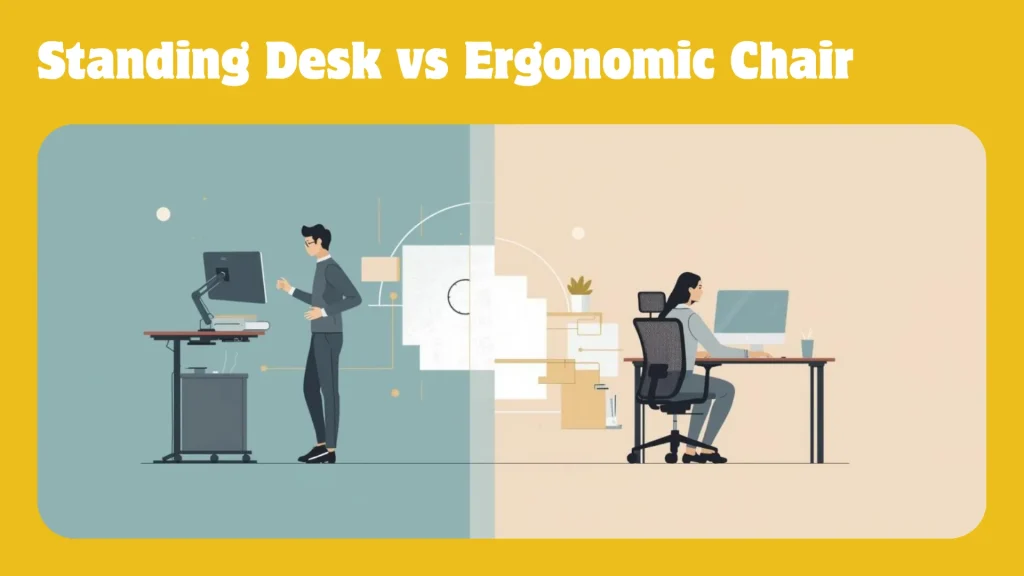
Standing desk vs ergonomic chair is the wrong question. Here’s why.
Even standing desk owners still sit for 75 to 80 percent of their workday. That data comes from ProtoArc’s workplace wellness research.
Your body doesn’t need you to pick sides. It needs support when you sit and movement when you’ve sat too long.
This guide compares real health data and productivity research. Then it gives you a framework to decide what fits your body and budget.
What Standing Desks and Ergonomic Chairs Actually Do to Your Body
The standing desk vs ergonomic chair debate starts with a myth. That myth says standing is healthy and sitting is dangerous.
Reality is messier. Both static standing and static sitting cause harm when overdone.
The difference lies in what each tool prevents. And what it enables.
Does standing at your desk reduce back pain?
Standing at a height-adjustable desk can reduce lower back discomfort. But it doesn’t eliminate it.
A 2024 Texas A&M study measured discomfort across three desk types. 80 percent of traditional desk users reported lower back pain.
That figure dropped to just over 50 percent for stand-biased desk users. A meaningful reduction, not a cure.
Standing desks work best when they add movement variety. They fail when they just replace sitting with standing.
Professor Alan Hedge at Cornell University’s Ergonomics Web puts it bluntly. Standing requires roughly 20 percent more energy than sitting.
It also increases strain on the circulatory system. Prolonged static standing raises the risk of varicose veins and joint stiffness.
The benefits of a standing desk are real but conditional:
- Shifts load away from the lumbar spine during standing intervals
- Engages different muscle groups, reducing repetitive strain
- Encourages more frequent position changes throughout the day
- Can reduce upper back and neck tension at the right monitor height
But standing with poor posture is just as damaging as sitting with poor posture. The desk alone doesn’t fix anything.
A standing desk is a movement tool, not a posture solution. It earns its value by getting you out of your chair, not by keeping you on your feet.
How does an ergonomic chair protect your spine during seated work?
An ergonomic chair does what a standing desk can’t. It supports your alignment during the 75 to 80 percent of the day you spend seated.
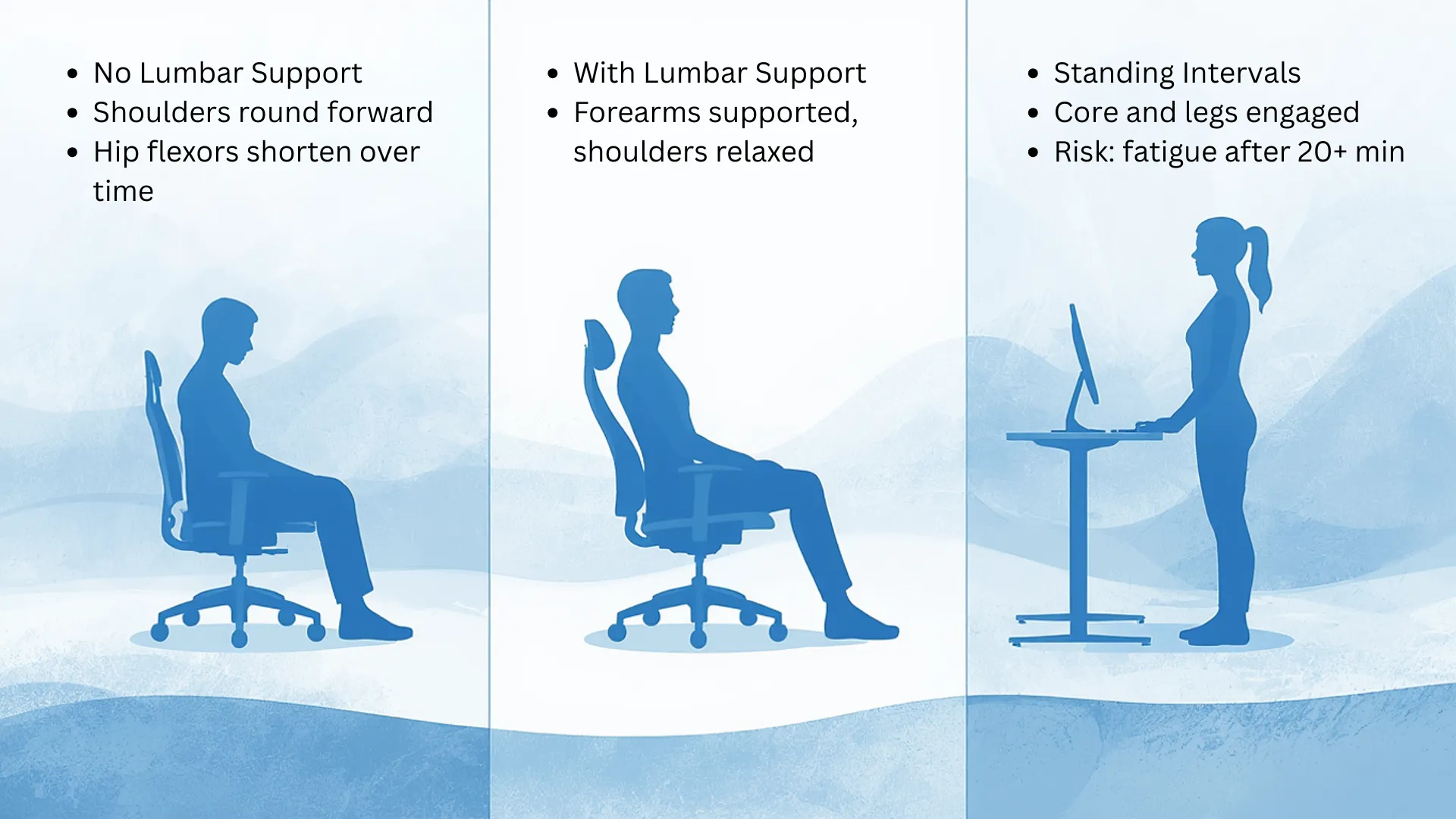
The Journal of Physical Therapy Science (2019) measured something striking. Sitting without lumbar support increases lower back pressure by up to 90 percent vs. standing.
That pressure is what turns a normal workday into a back pain cycle.
A properly adjusted ergonomic chair maintains your lumbar spine’s S-curve. It distributes weight evenly across the seat and backrest.
Cornell’s research recommends a slight recline of 100 to 110 degrees. At this angle, your back muscles relax instead of gripping.
For a deeper look, see how ergonomic chairs protect your spine during seated work.
Your spine doesn’t care what your desk costs. It cares whether the chair supports its natural curve for eight hours.
What happens when you sit for more than 8 hours a day?
A 2024 study in the Journal of the American College of Cardiology tracked over 89,000 participants. It found a clear threshold effect.
Exceeding 10.6 hours of sedentary behaviour per day increased risk sharply. Heart failure risk rose 40 to 60 percent past that threshold.
And meeting exercise guidelines didn’t fully offset the damage. 150 minutes of weekly activity wasn’t enough.
A UC Riverside study (2024) focused on adults averaging age 33. Sitting 8 or more hours daily raised cholesterol ratios and BMI.
Even physically active people showed these effects. The risk starts accumulating in your 20s.
Understanding the health benefits of ergonomic seating during long work sessions reframes how you think about your workspace.
Exercise can’t undo eight hours of stillness. The real fix is interrupting the stillness itself.
Standing Desks, Ergonomic Chairs, and Your Focus at Work
Health data drives the conversation. But productivity is what drives the purchase.
Do standing desks actually improve productivity?
Standing desks can support productivity. The evidence, though, is less dramatic than headlines suggest.
A call centre study tracked workers with stand-capable desks over six months. Those workers were roughly 45 percent more productive than seated colleagues.
But context matters. A scoping review in Applied Ergonomics analysed 53 studies on sit-stand desks.
Only 7 percent of work performance results were significant. Sit-stand desks helped most with discomfort, least with productivity.
What does this mean? Standing desks remove obstacles to focus (like stiffness and fatigue).
They don’t create productivity. They clear the path to it.
A year-long study reported by Steelcase reinforces this. 65 percent of standing desk users reported better productivity after 12 months.
They also reported better concentration and higher energy. The gain came from changing positions, not from standing itself.
Why does seating quality affect how long you can concentrate?
When your chair doesn’t support your posture, your body compensates, which results in tense shoulders and lower back muscles.
Your brain then splits its attention between the task and the discomfort. That’s the mechanism behind presenteeism (showing up but underperforming due to physical strain).
An uncomfortable chair doesn’t just hurt your back. It quietly taxes your concentration every minute you sit in it.
Your chair sets the posture baseline for 6 to 8 seated hours. A good one frees your brain. A bad one forces your body to fight itself.
Understanding why sitting posture still matters even with a well-designed chair is the missing piece for most setups.
The Sit-Stand-Support Triangle: A Framework for Choosing
Most comparison articles tell you to “consider your needs.” Then they stop.
That’s not helpful. Merryfair’s Sit-Stand-Support Triangle gives you a structured decision model.
It evaluates three factors: work pattern, pain profile, and workspace constraints. Here’s how each one works.
Factor 1: Work Pattern. How much of your day requires sustained screen focus? If the answer is more than 5 hours, your chair is the priority.
You’ll be in it most of the day regardless. If your work involves frequent calls and movement, a standing desk adds more value.
Factor 2: Pain Profile. Lower back pain that worsens by end of day points to poor lumbar support. That means the chair is your fix.
Upper back and shoulder tension from screen work responds differently. Standing intervals that shift your posture often help more.
Factor 3: Workspace Constraints. A standing desk needs more surface area than a standard desk. Limited space favours the chair first.
For the long-term cost perspective, see why seating quality is a long-term productivity investment.
How to decide between a standing desk and an ergonomic chair
| Your Situation | Best First Investment | Why |
|---|---|---|
| Deep focus work, 6+ hours seated daily | Ergonomic chair | Consistent spinal support through long seated stretches |
| Frequent calls, meetings, and movement | Standing desk | Complements an already active work pattern |
| Chronic lower back pain | Ergonomic chair | Lumbar support addresses the most common seated pain source |
| Neck and shoulder tension from screen work | Standing desk with monitor arm | Position changes and eye-level screen reduce upper body strain |
| Small or shared workspace | Ergonomic chair | Requires less footprint and no desk replacement |
| Budget for only one upgrade | Ergonomic chair | You sit 75-80% of the day. The chair is the foundation. |
If you can only afford one ergonomic upgrade, make it the thing your body touches for 6 hours a day. That’s your chair.
What if you can afford both?
The strongest workspace pairs an ergonomic chair with a height-adjustable desk. Cornell’s 20-8-2 rule provides the rhythm.
Sit in a supported posture for 20 minutes. Stand for 8 minutes. Move and stretch for 2.
Over a full workday, this cycle keeps your body active. It prevents the fatigue that comes from standing too long.
This isn’t about a 50/50 split. It’s about interrupting static postures before they cause damage.
The 20-8-2 rhythm works because it treats sitting and standing as partners, not opponents.
Merryfair Solutions for Every Setup
Merryfair has been engineering ergonomic seating since 1974. The standing desk vs ergonomic chair question always starts the same way.
Start with the thing you spend the most time in. That’s your chair.
Which Merryfair ergonomic chairs work best for long seated hours?
The Wau is Merryfair’s flagship. Its hip-pivot recline maintains lumbar contact through your full range of movement.
Your back stays supported whether you’re upright or leaning back for a call. The scalloped seat cradles your body’s natural shape.
Both mesh and upholstered versions keep heat buildup under control. That matters for all-day comfort in warm climates.
For task-focused work, the Tune fits 90 percent of the population. It covers users from 150cm to 185cm.
Its 3-way adjustable armrests and height-adjustable backrest adapt to different body types. The Zenit serves executive roles with a full-mesh backrest and BIFMA/Greenguard Gold certifications.
For the full breakdown, see the must-have features of a proper ergonomic chair explained. Budget-conscious buyers can also explore affordable ergonomic chairs that deliver real support under RM1,000.
Can the Merryfair Launch standing desk complete your workspace?
The Launch is Merryfair’s electric sit-stand desk. Its steel tube frame is made from 100 percent recyclable materials.
One button press shifts it between sitting and standing heights. Optional keyboard trays maintain wrist alignment at both positions.
Paired with any Merryfair ergonomic chair, the Launch builds a complete system. Chair for the seated hours. Desk for the standing intervals. Rhythm for the health.
Your Chair Is the Foundation, Your Desk Is the Upgrade
The standing desk vs ergonomic chair debate has a clear resolution. Start with the chair.
You’ll sit in it for most of your workday no matter what desk you own. Proper lumbar support and adjustable seat depth matter more than desk height.
Then, when budget and space allow, add a height-adjustable desk. The 20-8-2 pattern gives you the movement your sitting hours can’t.
The combination addresses both sides: supported posture and regular position changes. Together, they compound.
This isn’t a furniture decision. It’s a health decision with returns that grow every year.
For guidance, see how to find the right ergonomic chair for your budget tier.
Ergonomic investment compounds like interest. The earlier you get it right, the less your body pays later.
This content is for informational purposes only. If you’re experiencing chronic pain, consult a qualified healthcare professional for personalised advice.
Frequently Asked Questions About Standing Desks and Ergonomic Chairs
Should I buy a standing desk or an ergonomic chair first?
Buy the ergonomic chair first. Workers sit for 75 to 80 percent of their day even with a standing desk. Your chair sets the posture baseline for most of your working hours. A standing desk is a valuable addition after you’ve secured proper seated support.
How long should you stand at a standing desk per day?
Cornell University recommends the 20-8-2 pattern: 20 minutes sitting, 8 standing, 2 moving. Over a 7.5-hour workday, that means roughly 2 to 3 total hours on your feet. Avoid standing for more than 15 to 20 minutes at a stretch.
Can you use a standing desk and ergonomic chair together?
Yes. This combination is widely recommended by ergonomics researchers. A height-adjustable desk paired with a supportive chair lets you alternate between sitting and standing. It reduces the risks of both prolonged sitting and prolonged standing.
Is sitting in an ergonomic chair all day bad for you?
Sitting in any chair all day without breaks carries health risks. A 2024 JACC study linked 10.6+ hours of daily sedentary time to increased cardiovascular risk. Even with a quality chair, take movement breaks every 20 to 30 minutes.
What is the best sit-stand ratio for office workers?
Professor Alan Hedge at Cornell University recommends 20 minutes sitting, 8 standing, and 2 minutes of light movement per cycle. This 30-minute rhythm balances postural support with position changes. It maintains circulation and reduces strain across a full workday.
MORE BLOGS
Small Home Office Ideas That Protect Your Back and Save Space
Small home office ideas don’t need to start with Pinterest boards and paint swatches. They need to start with your spine. A PMC study found that 61.2% of home workers reported musculoskeletal discomfort while working remotely, and over half were working from dining tables or bedrooms. The fix isn’t a bigger room. It’s a smarter […]
Read More
Ergonomic Home Office Setup: A 5-Zone Guide That Works
Your ergonomic home office setup is probably wrong. A PMC study found that 61.2% of home workers reported musculoskeletal discomfort while working remotely. Nearly half were working from dining tables or bedrooms. An ergonomic home office setup comes down to five zones: chair, desk, screen, peripherals, and environment. Get these five right and you fix […]
Read More
Your Ergonomic Chair Size Guide for Every Height and Weight
An ergonomic chair size guide should start with your body, not a product page. About 40% of the working population falls outside the “standard” range most chairs target. That means your chair might look ergonomic. It could still miss your body entirely. Your ideal chair size comes down to three numbers. Popliteal height (floor to […]
Read More
Office Chair Cost Calculator: Your True Cost Per Sit
An office chair cost calculator reveals something most Malaysian buyers overlook: the daily price of sitting. Divide any chair’s price by the total sits across its lifespan. That one number is the cost per sit. For Malaysian workers averaging 45 hours per week at a desk, the math favours mid-range ergonomic chairs over budget options […]
Read More