Small Home Office Ideas That Protect Your Back and Save Space
25th March, 2026
Small home office ideas don’t need to start with Pinterest boards and paint swatches. They need to start with your spine. A PMC study found that 61.2% of home workers reported musculoskeletal discomfort while working remotely, and over half were working from dining tables or bedrooms.
The fix isn’t a bigger room. It’s a smarter one.
Small home office ideas that actually protect your body come down to three decisions: a chair that fits your room and your back, a desk at the right height for your elbows, and a layout that doesn’t force you to pick between posture and floor space.
This guide covers all three, with exact measurements, furniture picks, and the small upgrades that deliver outsized results.
How Much Space Do You Actually Need for a Home Office?
Less than you think. And more than a kitchen counter.
The answer depends on what you’re placing in the space, but Merryfair’s analysis of compact workspace configurations finds that a functional ergonomic home office fits inside 4 square metres (roughly 43 square feet). That’s a 2m x 2m footprint, smaller than most bathroom floors.
What are the minimum dimensions for an ergonomic home office?
A complete ergonomic home office needs roughly 4 square metres of floor space. That accommodates a 100-120cm desk, a task chair with clearance to roll back, and enough distance between your eyes and screen.
Here’s what those numbers look like in practice:
| Component | Minimum Space Needed |
|---|---|
| Desk (compact) | 100cm wide x 50cm deep |
| Chair (task chair with casters) | 60cm wide x 70cm rollback clearance |
| You (seated, elbows out) | 60cm side to side |
| Screen distance | 50-70cm from eyes to monitor |
| Total footprint | Approx. 2m x 2m (4 sq m) |
Those dimensions assume a compact setup with a monitor arm (which eliminates the stand footprint) and a chair that tucks partially under the desk. If you’re using a laptop on a stand with an external keyboard, you can trim the desk depth to 45cm.
Your chair’s footprint matters more than your room’s. A 60cm-wide task chair changes the geometry of a tight corner.
Where is the best spot for a home office in a small apartment?
Put your desk perpendicular to the nearest window. Never face it directly (glare) or sit with a window behind you (screen reflections on video calls).
Beyond that, rank your options by isolation and wall access. A corner with two walls gives you the best anchor for a desk plus vertical shelving. A bedroom nook works if you can separate it visually with a shelf or curtain. Living room walls work for part-time setups. Closets with removed doors can become surprisingly effective micro-offices.
The worst spot? Your bed or couch. And yet the PMC data confirms nearly a quarter of remote workers use bedrooms as their primary workspace.
If that’s your only option, a fold-down wall desk and a proper chair still outperform a laptop on your pillow by a wide margin.
For colour and visual strategies that make small rooms feel more open, Merryfair’s guide on workspace colour and decor strategies that make small offices feel larger is worth a read. And if you’re drawn to chairs that add personality without bulk, space-efficient ergonomic chairs that don’t sacrifice style covers options with compact profiles.
Choosing a Desk and Chair That Fit Your Room and Your Body
This is where most small home office ideas fall apart. People pick furniture for how it looks in the room, not for how it positions their body.
A desk that’s 5cm too high raises your shoulders for 8 hours. A chair without lumbar support adds roughly 40% more load to your lower spine compared to standing, according to disc pressure research cited in spinal biomechanics literature. These aren’t small problems. They compound.
What is the best desk for a small home office?
The best small-space desk is the one that puts your forearms level with your elbows bent at 90 degrees. Everything else is secondary.
For most adults, that means a surface at 73-76cm height. Width matters less than depth. You need at least 45cm of depth for a laptop on a stand, or 50-60cm for an external monitor with a keyboard in front.
| Desk Type | Typical Width | Best For |
|---|---|---|
| Compact fixed desk | 80-120cm | Permanent setups in corners or along walls |
| Wall-mounted fold-down | 60-90cm | Multi-use rooms where the desk must disappear |
| Corner/L-shaped compact | 100-130cm per side | Corners that would otherwise waste space |
| Standing desk converter | Sits on existing surface | Renters who can’t replace furniture |
Skip the urge to buy the narrowest desk you can find. A desk that’s too cramped pushes your keyboard and mouse together, forcing your shoulders inward. That creates tension across your upper back within hours.
The best small office furniture isn’t small furniture. It’s correctly sized furniture arranged with discipline.
How do you pick an ergonomic chair that fits a tight space?
Start with the chair’s width. Most full-featured ergonomic task chairs measure 60-70cm across with armrests. That’s workable in a 2m-wide space but tight in a 1.5m nook.
If your space is truly narrow, an armless task chair drops the width to under 50cm. You lose arm support but gain the ability to pull closer to the desk and swivel freely. For desks tucked into corners, that tradeoff works. Here’s why: why compact ergonomic swivel chairs work best in tight home office spaces.
But don’t sacrifice lumbar support for size. Ever. A chair’s adjustable lumbar is what prevents the lower back pain that builds across months of seated work. A 2025 cross-sectional study published in Scientific Reports found 80.81% of office workers experienced musculoskeletal disorders, with chair height and back support emerging as statistically significant factors.
Three non-negotiable features for a small-space chair:
- Adjustable lumbar support that contacts your lower back curve
- Seat height range that lets your feet go flat with knees near 90 degrees
- Casters appropriate to your floor type (hard wheels for carpet, soft rubber for hard floors)
For a detailed breakdown of how these features differ across models and price ranges, how to match ergonomic chair features to your work pattern and body covers the full comparison.
A cramped room doesn’t cause back pain. A poorly chosen chair in a cramped room does.
Small Changes That Fix Big Ergonomic Problems
You don’t always need new furniture. Sometimes the gap between pain and comfort is a $30 accessory and a 2-minute adjustment.
Here’s where it gets practical.
What accessories make the biggest difference in a small setup?
Ranked by impact per dollar, from highest to lowest:
- Laptop stand + external keyboard and mouse ($30-50). If you use a laptop on a flat surface, your neck tilts forward 30+ degrees for 8 hours. The CCOHS confirms that screen position is the primary driver of neck strain. A stand fixes this. Pair it with a separate keyboard and you reclaim neutral posture instantly.
- Monitor arm ($30-80). Eliminates the monitor stand, reclaims desk depth, and lets you set the screen at exactly eye level. In a compact setup, that recovered desk space matters.
- Footrest ($15-30). When your desk is too high and your chair is raised to match, your feet dangle. That shifts pressure to the backs of your thighs. A footrest solves it.
- Desk lamp with adjustable arm ($20-40). Fixes task lighting without ceiling rewiring. Place it opposite your writing hand.
- Cable management ($10-20). In a 4-square-metre space, loose cables eat legroom. Adhesive cable channels along desk legs keep things clear.
The smallest ergonomic investment with the largest return is a $30 laptop stand and external keyboard.
If you’re weighing what to spend on the chair itself, affordable ergonomic chairs with a small footprint for compact setups lists real options under RM1,000 that don’t ask you to compromise on lumbar support.
How do you stay comfortable working from a small desk all day?
Move. Seriously. Even a perfect setup can’t protect a body that sits still for 8 hours.
Cornell University’s Ergonomics Web recommends the “20-8-2” rhythm: 20 minutes sitting, 8 minutes standing, 2 minutes of walking or stretching. You don’t need a standing desk for this. Just stand during a phone call. Walk to the kitchen. Stretch your hip flexors against a wall.
In a small space, movement is even more important because your body is constrained by proximity. Your reach is shorter. Your posture options are fewer. So the habit of standing and resetting every 30 minutes becomes the thing that keeps you functional past 3pm.
Small spaces punish ergonomic laziness faster than large ones. You’ll feel a bad chair in a week, not a year.
The 4-Square-Metre Office Method
Most small home office ideas stop at furniture. This framework covers the full system.
What is the 4-Square-Metre Office Method?
The 4-Square-Metre Office Method is a four-step system Merryfair developed for building a complete ergonomic workspace in compact areas. It works for any room under 6 square metres.
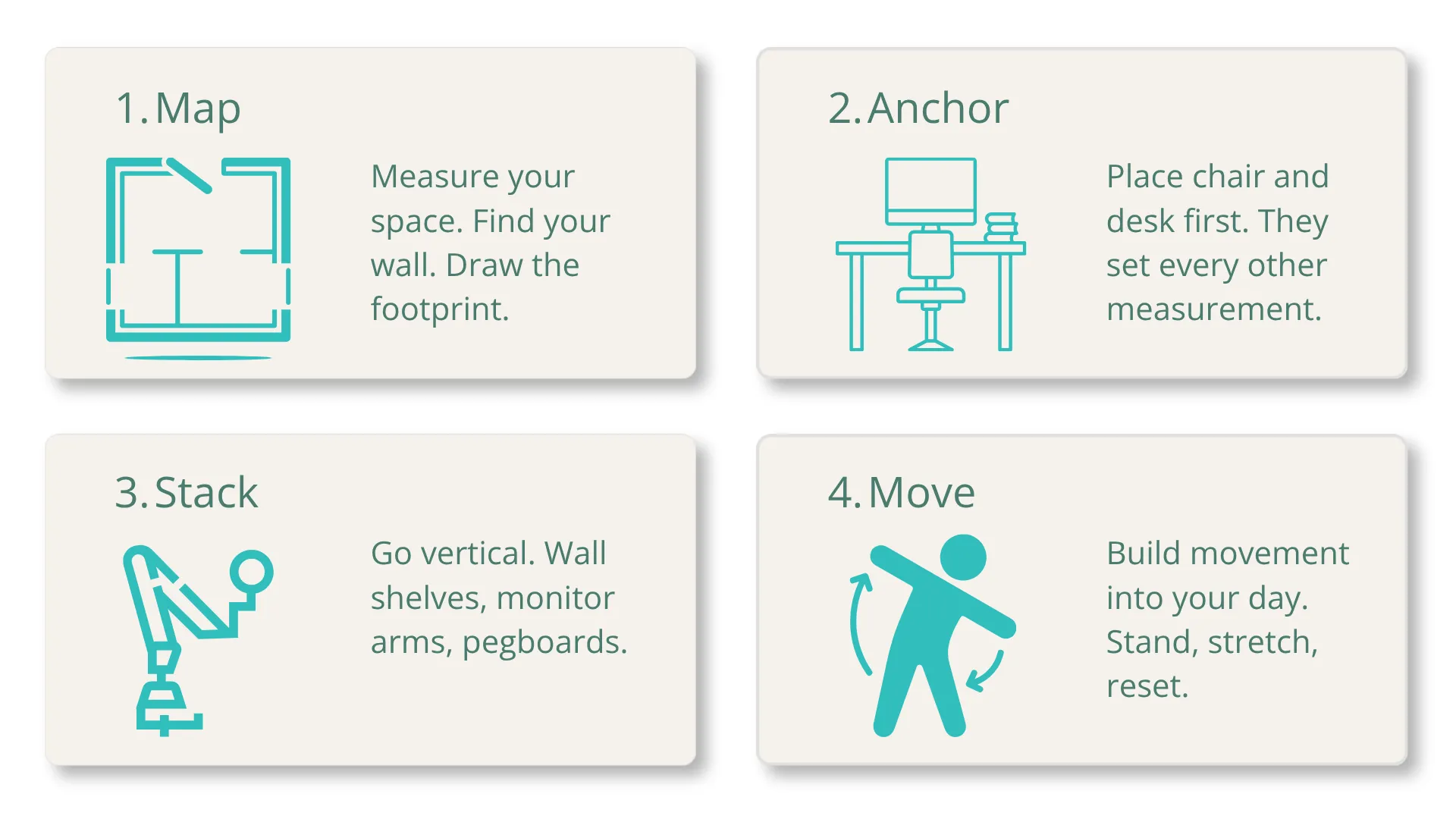
Map. Measure your available space. Identify the best wall or corner with window access. Draw the 2m x 2m footprint. Know your boundaries before you buy anything.
Anchor. Place your chair and desk first. These two pieces set every other measurement. Your chair determines seated height. Your desk matches your elbow angle. Get these right and the rest follows. Get them wrong and no accessory fixes it.
Stack. Go vertical with everything that isn’t your desk surface. Wall shelves, pegboards, monitor arms, and hanging organisers replace floor storage. Every centimetre of desk surface you recover gives your arms more room to work in a neutral position.
Move. Build a movement trigger into your day. A timer. A standing phone-call rule. A stretch routine between meetings. Ergonomics creates the conditions for comfort. Movement sustains it.
Vertical storage replaces floor space. A monitor arm replaces a stand. Discipline replaces square metres.
For the complete technical setup measurements once you’ve mapped your space, the full 5-zone guide to setting up your home office ergonomically covers every angle, height, and distance.
Your Small Office Outperforms Most Large Ones
The data tells a counterintuitive story. Remote workers in large home offices don’t report fewer ergonomic problems than those in small ones. The variable that matters isn’t room size. It’s setup quality.
A 4-square-metre corner with an ergonomic chair, a correctly-heighted desk, a laptop stand, and a monitor arm gives you neutral posture, proper screen distance, and enough clearance to move. That setup outperforms a 20-square-metre room with a dining chair and a table that’s 5cm too high.
A 4-square-metre corner with the right setup can outperform a 20-square-metre office with the wrong one.
So stop waiting for a bigger room. Start with the chair. Match the desk to your elbows. Raise the screen to your eyes. Then get up every 30 minutes.
Your small space isn’t the limitation. It’s the reason you’ll get this right.
Ready to start with the foundation? Finding the right ergonomic chair for your budget and sitting hours helps you match spending to actual need.
Frequently Asked Questions About Small Home Office Ideas
Can you have an ergonomic setup in a studio apartment?
Yes. A complete ergonomic setup fits within 4 square metres. You need a compact desk (100-120cm wide), a task chair with adjustable lumbar support, and a laptop stand or monitor arm to raise your screen to eye level. A fold-down wall desk works if the space must double as living area.
Is a standing desk worth it in a small room?
A full standing desk is rarely the best use of limited space. A standing desk converter that sits on your existing desk delivers the same sit-stand benefit without replacing furniture. The real value comes from alternating between sitting and standing, not from standing all day.
What is the best chair for a small home office?
Look for a task chair under 65cm wide with adjustable lumbar support, seat height adjustment, and casters suited to your floor. Mesh-back chairs keep you cool and tend to have slimmer profiles than padded models. Armless options drop the width to under 50cm for extra-tight spaces.
How do I stop my home office from taking over my apartment?
Use vertical storage instead of floor storage. Fold-down desks disappear when work ends. Cable management channels hide cords along desk legs. A visual boundary like a shelf, curtain, or change in lighting separates “office” from “home” without walls.
How high should my monitor be in a small desk setup?
The top of your screen should sit at or just below eye level. For most seated adults, that’s 15-20cm above the desk surface. A monitor arm or laptop stand achieves this without a bulky monitor stand. Place the screen 50-70cm from your eyes.
MORE BLOGS
Ergonomic Home Office Setup: A 5-Zone Guide That Works
Your ergonomic home office setup is probably wrong. A PMC study found that 61.2% of home workers reported musculoskeletal discomfort while working remotely. Nearly half were working from dining tables or bedrooms. An ergonomic home office setup comes down to five zones: chair, desk, screen, peripherals, and environment. Get these five right and you fix […]
Read More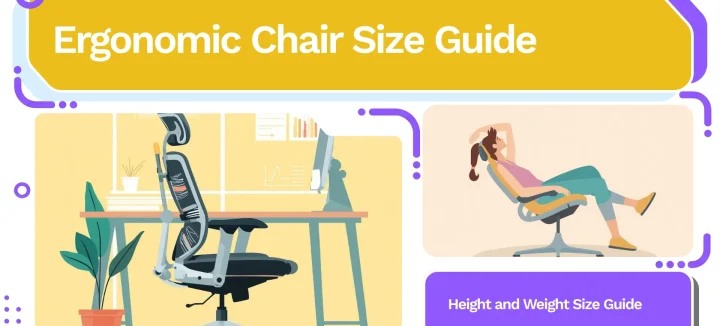
Your Ergonomic Chair Size Guide for Every Height and Weight
An ergonomic chair size guide should start with your body, not a product page. About 40% of the working population falls outside the “standard” range most chairs target. That means your chair might look ergonomic. It could still miss your body entirely. Your ideal chair size comes down to three numbers. Popliteal height (floor to […]
Read More
Office Chair Cost Calculator: Your True Cost Per Sit
An office chair cost calculator reveals something most Malaysian buyers overlook: the daily price of sitting. Divide any chair’s price by the total sits across its lifespan. That one number is the cost per sit. For Malaysian workers averaging 45 hours per week at a desk, the math favours mid-range ergonomic chairs over budget options […]
Read More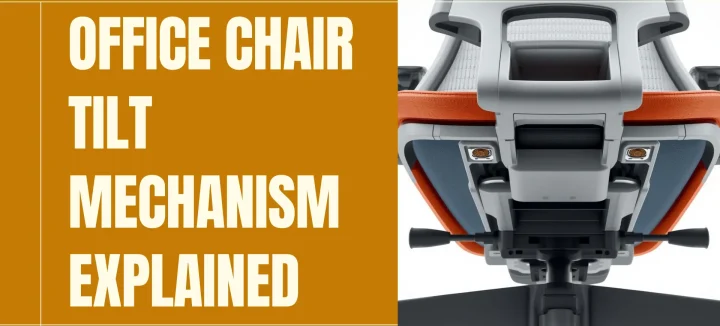
Office Chair Tilt Mechanisms: What Synchro Tilt Really Does
An office chair tilt mechanism is the hidden hardware under your seat. It controls how your chair moves when you lean, recline, or shift weight. It’s the single spec that separates a stiff, uncomfortable chair from one that supports you through an eight-hour workday. Synchro tilt has become the standard in mid-to-high-end ergonomic seating. It […]
Read More