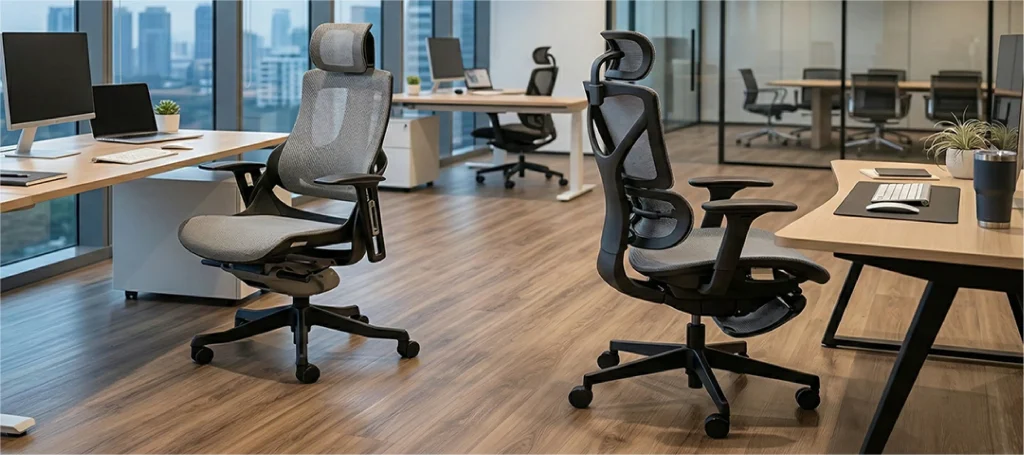
How to Adjust Your Office Chair for All-Day Comfort
Most people who own an adjustable office chair never actually adjust it. A field study published in Applied Ergonomics found that the majority of office workers used two or fewer of their chair’s available adjustment functions, despite having access to five or more.
Here’s how to adjust your office chair properly: start with seat height, then set seat depth, position lumbar support, align armrests, calibrate tilt tension, and set your backrest angle. Work from your body’s measurements outward to the chair’s controls, not the other way around.
This guide walks you through Merryfair’s 6-Point Chair Calibration. You’ll adjust each setting in the right order, understand why sequence matters, and run a 30-second verification check at the end.
Key Takeaways
- Adjustment order matters. Changing seat height shifts every setting downstream. Start from the floor and work up.
- Your body sets the targets. Measure from your popliteal height (back of knee to floor), not from the chair’s default position.
- Seat depth is the most skipped step. It controls whether your back stays in contact with the lumbar support all day.
- Each adjustment affects the others. Armrest height means nothing if seat height is wrong first. Treat it as a system.
- A 30-second check catches what your eyes miss. After all six steps, a quick self-audit confirms everything works together.
Why Most Office Chairs Never Get Adjusted Properly
Do most people adjust their office chairs?
Rarely. Research from the International Journal of Human Factors and Ergonomics found that most office workers use only one or two adjustments on chairs with five or more adjustable features. Seat height gets changed. Everything else stays at factory defaults.
The gap isn’t laziness. It’s confusion.
Most chairs ship with no clear instructions. The levers and knobs under the seat look identical. And without knowing which adjustment to make first, people guess, get frustrated, and stop.
That confusion has a real cost. Sitting in a chair that’s technically adjustable but functionally unadjusted puts the same strain on your body that poor sitting posture does over time.
What happens when you skip chair adjustments?
Your body compensates. Feet dangle, so your thighs press harder into the seat edge. Lumbar support sits too high, so your lower back rounds forward.
A systematic review in BMC Musculoskeletal Disorders found a consistent trend: chair interventions that included proper adjustment reduced the severity, intensity, and frequency of musculoskeletal pain. But the key word is “proper.” An adjustable chair you don’t adjust is just a chair.
An expensive chair with every feature left at default performs no better than a kitchen stool.
Which adjustable features a chair was built with determines how closely this sequence can track your body dimensions.
The 6-Point Chair Calibration: Adjust From Your Body Up
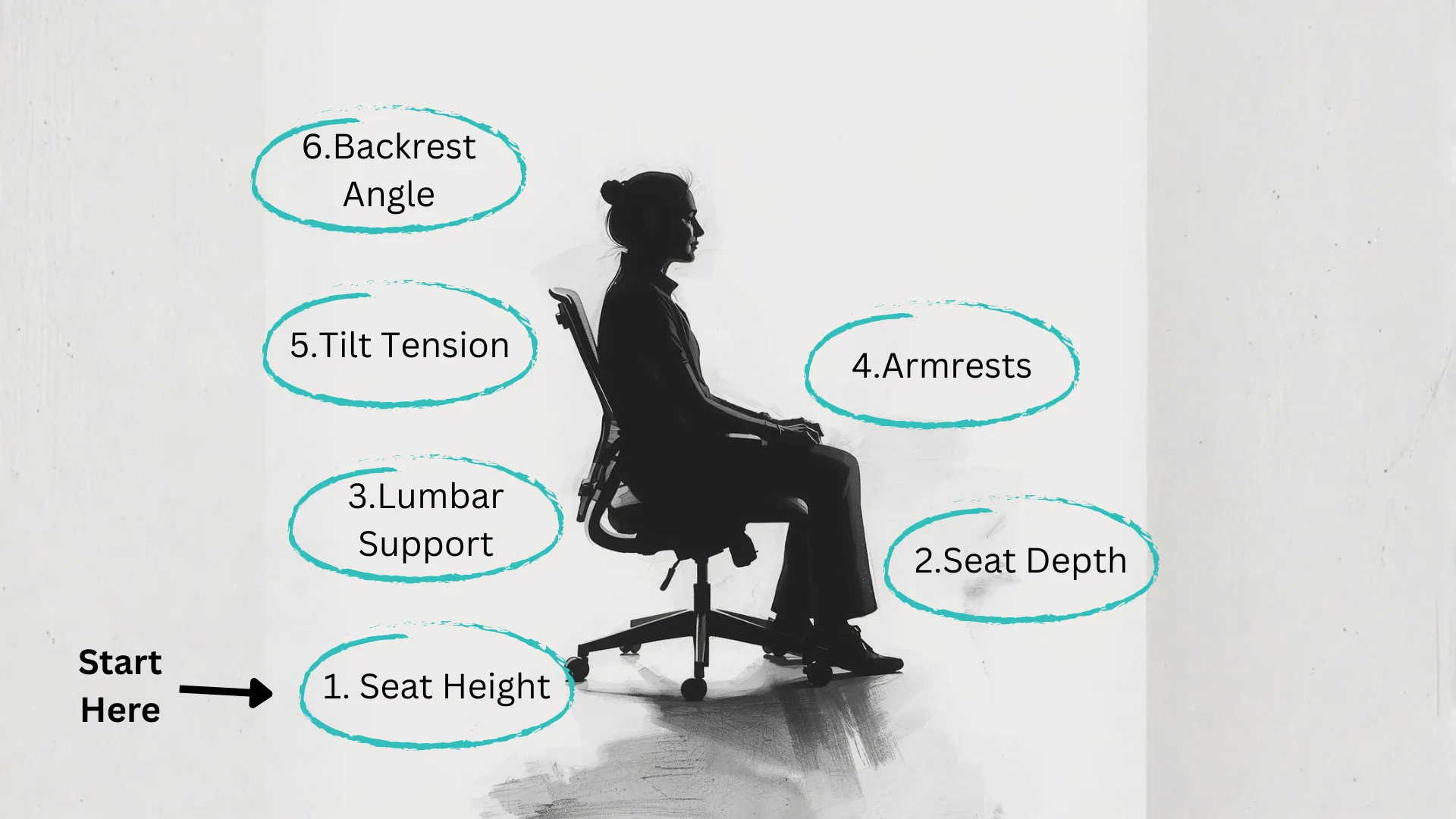
This is the adjustment sequence that actually works. Each step builds on the last. Skip ahead and you’ll undo whatever you set before.
Merryfair’s 6-Point Chair Calibration follows one principle: your body sets the dimensions, then the chair matches them.
How do I adjust my office chair to the correct height?
Stand in front of your chair. The highest point of the seat should align with the bottom of your kneecap. Sit down.
Your feet should rest flat on the floor. Knees bend at roughly 90 degrees, though anywhere between 90 and 110 works.
Check your thighs. They should be roughly parallel to the floor or angled slightly downward toward the knees. If your feet dangle, lower the seat. If your knees rise above your hips, raise it.
Can’t get low enough? You likely need a footrest. Can’t get high enough? Your chair’s gas cylinder may need replacing, or your desk may be too tall for your frame.
A persistent ceiling problem can mean your frame needs chairs that accommodate taller sitting postures rather than a cylinder swap.
Seat height is step one because every other adjustment depends on it. Change height later and armrests, lumbar alignment, and tilt all shift.
How far should the seat extend past your knees?
Seat depth is the adjustment most people skip entirely. It controls whether your back can stay in contact with the lumbar support through the whole day.
Sit back fully so your lower back touches the backrest. Now check the gap between the front edge of the seat and the back of your knees. You should fit two to three fingers in that space.
Too deep? Your calves press against the seat edge, cutting off circulation. You’ll unconsciously scoot forward, losing lumbar contact entirely.
Too shallow? Your thighs lack support and your body weight concentrates on a smaller area.
If your chair has a seat depth slider, pull it forward until that two-to-three-finger gap appears. If it doesn’t have one, a lumbar cushion can push you forward to simulate a shallower seat pan.
Seat depth is the invisible adjustment that separates people who love their chair from people who can’t figure out why it’s uncomfortable.
How should I set my lumbar support?
Your lower back has a natural inward curve. Lumbar support exists to maintain that curve while you sit.
Position the lumbar pad so it sits right at the curve of your lower back. Not your mid-back. Not your shoulder blades. The small of your back.
Most adjustable lumbar systems move up and down. Some also adjust depth (how far the pad pushes into your back). Start with height. Slide or lift the lumbar support until you feel it pressing gently into your lower back curve.
If your chair also has depth adjustment, increase it just until you feel supported without being pushed forward. You want contact, not pressure.
For a deeper look at positioning and the biomechanics behind it, read about how lumbar support works and where to position it correctly.
When lumbar support is right, you stop thinking about your lower back. That’s how you know.
How high should office chair armrests be?
Rest your arms at your sides. Bend your elbows to roughly 90 degrees. Your forearms should be parallel to the floor.
Adjust armrest height so they just barely touch your forearms in that position. They should support the weight of your arms without pushing your shoulders upward.
If armrests are too high, your shoulders hunch. Too low, and your shoulders sag, pulling on your neck and upper trapezius muscles.
Got 4D armrests? Adjust width so your arms hang naturally without reaching outward. Adjust depth so your forearms rest without your elbows sliding off the back edge. Adjust pivot angle to match the natural angle of your wrists while typing.
If your armrests prevent you from pulling close to your desk, lower them or pivot them outward during desk work. Armrests that block you from your work surface cause more harm than no armrests at all.
How do I adjust office chair tilt tension?
Tilt tension controls how much resistance you feel when leaning back. Most chairs have a knob under the seat for this.
Sit upright, then lean back gently. If the chair barely moves, tilt tension is too tight. If it swings back with almost no effort, it’s too loose.
The right setting lets you recline comfortably without pushing hard, but doesn’t let the chair tip backward when you shift weight. Lighter people need less tension. Heavier people need more.
Start by loosening the knob fully, then gradually tighten until the backrest provides gentle, steady resistance. Lock the tilt if you prefer a fixed upright position for focused work, then unlock it for breaks.
For details on how synchro tilt, knee tilt, and multi-function mechanisms differ, read the full breakdown of how synchro tilt mechanisms work and how to set tension.
Tilt tension is the adjustment that makes your chair feel alive instead of rigid.
What angle should my office chair backrest be?
A perfectly vertical backrest looks correct but isn’t ideal. Research on spinal disc pressure shows that a slight recline, between 100 and 110 degrees, reduces load on your lumbar discs compared to sitting bolt upright at 90 degrees.
Set your backrest so it tilts just past vertical. You should feel your weight partially supported by the backrest without slouching.
If your chair has a tilt lock with multiple positions, try locking it at the second or third notch. Sit there for a few minutes. If your head drifts forward to compensate, you’ve reclined too far.
And here’s the part most guides leave out: the “right” angle changes throughout your day. Upright for typing. Slight recline for reading. Deeper recline for thinking. Dynamic sitting, shifting between angles, protects your spine more than holding any single “perfect” position for hours.
The best backrest angle is the one you change every 30 minutes.
What Each Lever and Knob on Your Chair Actually Does
You shouldn’t need an engineering degree to adjust a chair. But the controls are rarely labelled well. So what do all those levers actually do?
| Control | Location | What It Does |
|---|---|---|
| Pneumatic lever (tall paddle) | Right side, under seat | Raises/lowers seat height. Press and stand to raise; press and sit to lower. |
| Seat depth slider | Under front of seat | Slides seat pan forward or backward to adjust depth. |
| Lumbar height knob/slider | On backrest or back frame | Moves lumbar support pad up or down. |
| Lumbar depth knob | Side of backrest (if equipped) | Pushes lumbar pad closer to or farther from your back. |
| Tilt tension knob | Under seat, centre | Adjusts how hard or easy it is to recline. Turn clockwise to tighten. |
| Tilt lock lever | Under seat, side | Locks backrest in current position. Release to free-float. |
| Armrest height button | Under or on side of armrest | Raises/lowers each armrest independently. |
What is the knob on the bottom of my office chair for?
That large knob directly under the centre of your seat controls tilt tension. Turning it clockwise increases resistance when you lean back. Counter-clockwise makes reclining easier.
It’s not a height control. The height lever is the tall paddle, usually on the right side.
If your chair has a second smaller knob near the back, that’s likely the lumbar depth adjustment.
What does the paddle under my chair do?
The most common paddle is the pneumatic lift lever. Pull it up while sitting to lower the seat. Pull it up while standing or hovering to raise it.
Some chairs have a second paddle or trigger for tilt lock. Pulling it releases the backrest to move freely. Pushing it locks the backrest at whatever angle you’ve set.
As you can see, you will need a full picture of the full range of adjustable ergonomic chair features to reap the maximum benefits from the chair.
How to Verify Your Chair Setup Actually Works
Adjusting each setting individually isn’t enough. They interact. Raising seat height to fix your foot position might push your elbows above your armrests. Sliding the seat forward for depth might pull your back away from lumbar support.
After completing all six steps, run this 30-second self-check.
How do you check if your chair is adjusted correctly?
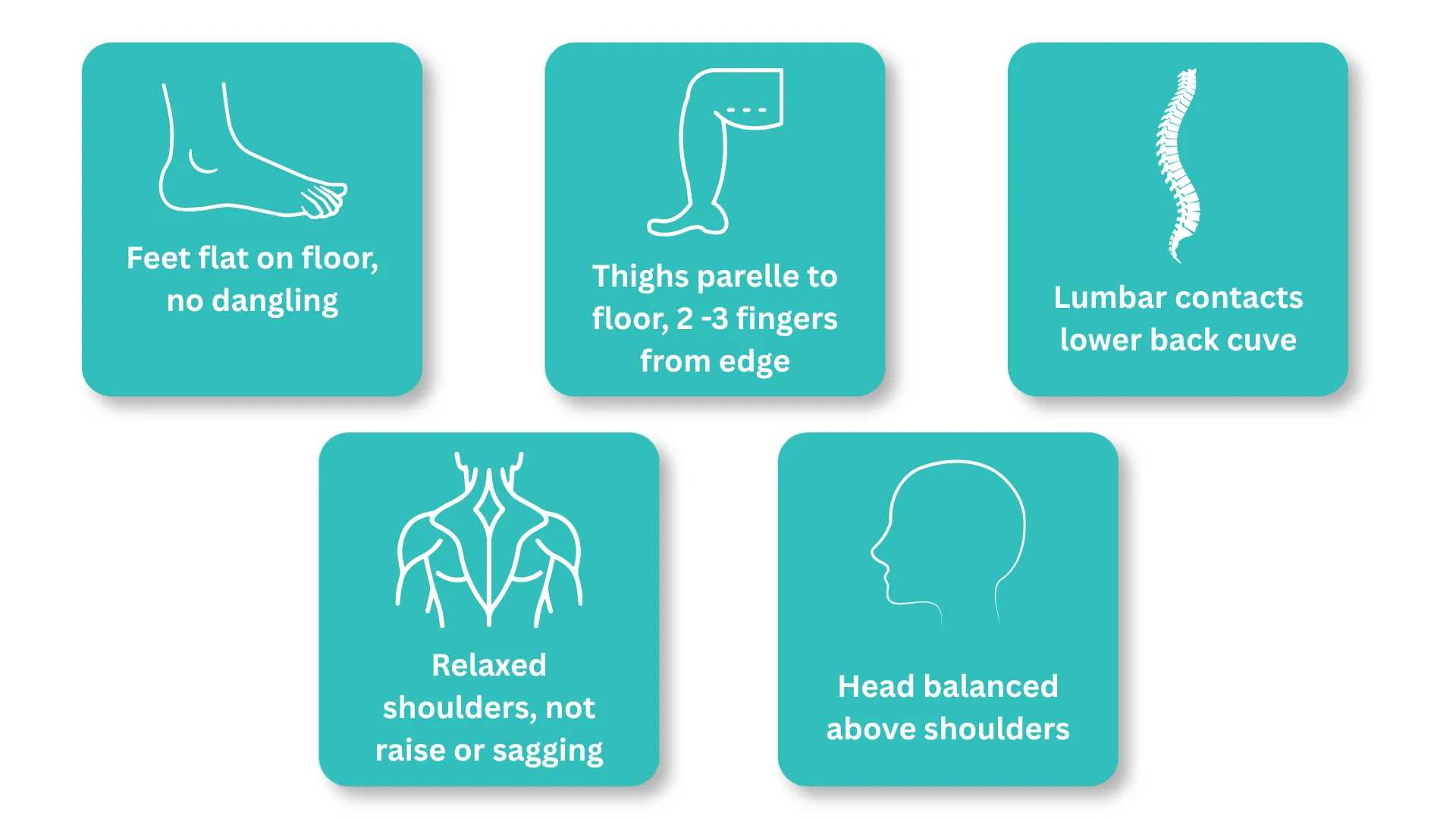
Sit in your fully adjusted chair. Then check these five points:
- Feet. Both flat on the floor (or footrest). No dangling. No pressure on the back of your thighs from the seat edge.
- Thighs. Roughly parallel to the floor. Two to three finger-widths between seat edge and back of knees.
- Back. Lower back contacts the lumbar support. You feel gentle pressure at your natural curve, not at your mid-back or shoulder blades.
- Shoulders. Relaxed. Not raised by armrests pushing up, not sagging because armrests are too low. Arms hang naturally.
- Head. Balanced directly above your shoulders. If you have a headrest, it contacts the back of your head without pushing it forward.
If any checkpoint fails, go back to that specific step in the calibration and readjust. Then re-run the full check. One change can cascade.
This is the step that turns six separate settings into a single coherent setup. For a deeper body-fit validation, try confirming your chair genuinely fits your body after adjustment.
A properly adjusted chair feels like it disappears. You stop noticing it. That’s the test.
Why does my back still hurt after adjusting my chair?
Three common causes.
Your desk height doesn’t match your chair. If your desk is too high, you’ll raise your chair to compensate, which lifts your feet off the floor and starts a chain of misalignment. A keyboard tray or adjustable desk solves this at the source.
Your body falls outside your chair’s adjustment range. Most ergonomic chairs are designed for people between 155cm and 190cm. If you’re shorter or taller, standard seat depth, backrest height, or armrest range might not reach far enough.
Your chair is missing a key adjustment. No seat depth slider means you can’t fix thigh support. No adjustable lumbar means you can’t target the right spot on your spine. At that point, technique can’t compensate for missing hardware.
(If this sounds like your situation, it’s worth reading the step-by-step guide to correct sitting posture to rule out posture habits as the cause before replacing your chair.)
Your Chair Is Ready When You Forget It’s There
Adjusting an office chair isn’t about finding one magic position. It’s about calibrating a system where every contact point supports your body without you having to think about it.
The 6-Point Chair Calibration gives you a repeatable process: height, depth, lumbar, armrests, tilt, backrest angle. Run it once properly and you’re set for months. Re-run it any time you change desks, swap chairs, or notice discomfort creeping back.
But here’s the part that matters most. No adjustment sequence fixes a chair that lacks adjustability in the first place. If your chair can’t change seat depth, can’t move lumbar support, or can’t calibrate tilt tension, you’ll hit a ceiling that technique alone can’t break through.
If you’re ready to start with a chair built for this kind of calibration, browse Merryfair’s full ergonomic chair collection and check which adjustments each model offers before you decide.
The best-adjusted chair is the one you stop noticing. That’s not a tagline. It’s how you know you got it right.
Frequently Asked Questions
Should my feet be flat on the floor when sitting?
Yes. Flat feet ground your lower body and prevent your pelvis from tilting backward. If your chair is too high for your feet to reach the floor, use a footrest. Dangling feet increase pressure on the underside of your thighs and contribute to lower back rounding over time.
Can I adjust an office chair without armrests?
You can adjust every other setting normally. Without armrests, your shoulders and neck bear the full weight of your arms. Rest your forearms on your desk surface instead, keeping your elbows at roughly 90 degrees. A desk at the right height becomes more important without armrests.
How often should I readjust my office chair?
Re-run the full calibration whenever you change desks, swap chairs, or notice persistent discomfort. For most people, a full re-check every three to six months catches gradual drift in settings. Quick daily resets of seat height and lumbar contact take seconds.
Does chair adjustment help with lower back pain?
A systematic review in BMC Musculoskeletal Disorders found that chair interventions including proper adjustment consistently reduced pain severity and frequency. Adjustment alone isn’t a medical treatment, but it removes one of the most common structural contributors to seated back pain. Consult a physiotherapist if pain persists after proper setup.
What if my chair doesn’t have lumbar support?
A rolled towel or a dedicated lumbar cushion placed at the curve of your lower back provides basic support. Position it so it maintains your spine’s natural inward curve without pushing you away from the backrest. It won’t replicate height-and-depth-adjustable lumbar, but it’s a meaningful improvement over nothing.
MORE BLOGS
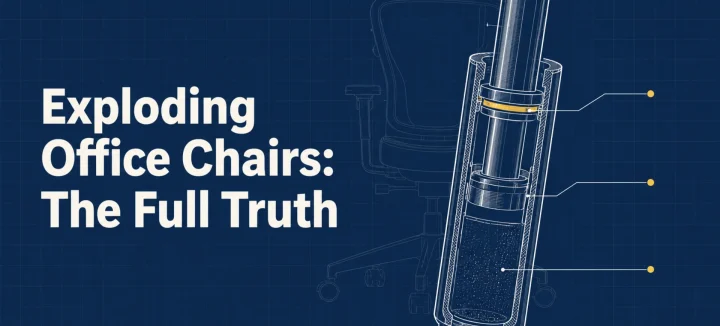
Exploding Office Chairs: The Full Truth From a Chair Maker
The exploding office chair story resurfaces every few years, same grainy photos attached. So can a chair really burst? A handful have, and every documented case involved an uncertified gas cylinder (the pressurized tube that raises and lowers your seat). Chairs built to recognized safety standards fail differently: seals leak, the seat sinks, nothing bursts. […]
Read More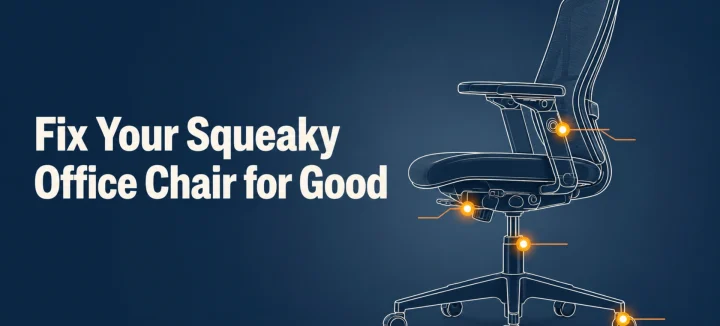
How to Fix a Squeaky Office Chair by Sound and Location
A squeaky office chair makes four different noises, and each one points to a different part. To silence it for good, find the source first: the tilt mechanism, gas cylinder, casters, or armrests. Then tighten what’s loose and lubricate with the right product for that joint. This guide matches each sound to its fix, and […]
Read More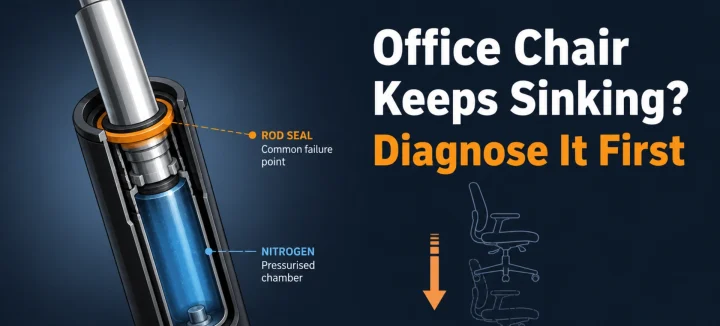
Office Chair Keeps Sinking? Diagnose and Fix It for Good
An office chair keeps sinking for one main reason: the gas cylinder under the seat is losing pressure. Worn seals let the nitrogen escape, so the piston stops holding your weight. A hose clamp or PVC pipe locks the height today; a new cylinder fixes it properly in 15 minutes. Diagnose first, and you’ll only […]
Read More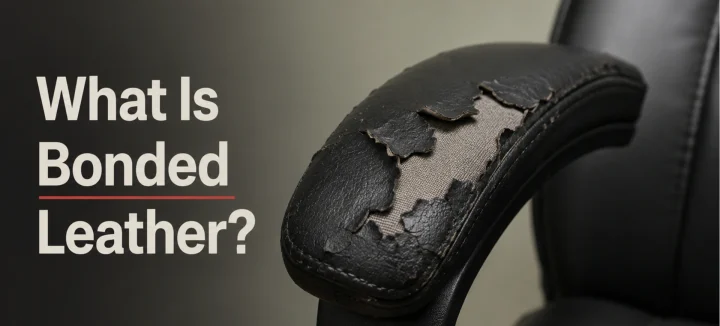
What Is Bonded Leather and Why It Peels in Office Chairs
Bonded leather is mostly plastic. The real hide inside usually makes up just 10 to 20 percent of it. The rest is polyurethane binder pressed onto a fabric or paper backing. It looks like leather on day one. By year three, it’s flaking onto your trousers. This guide covers what it’s made of, why office […]
Read More